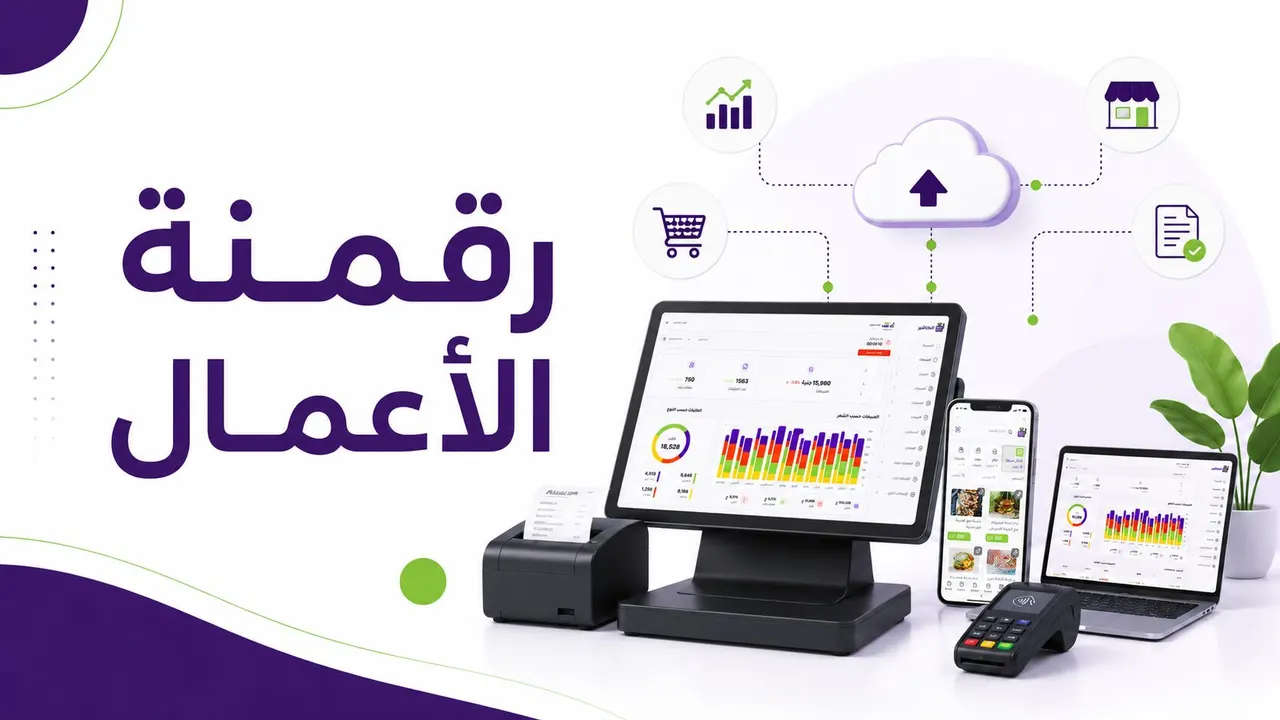
Using a point-of-sale system has become a basic necessity for any store, restaurant or business owner who wants to manage sales faster and more accurately. Instead of relying on manual recording, or tracking orders on paper and spreadsheets, a modern point-of-sale program helps you organize sales, issue invoices, track orders, monitor staff performance and analyze sales from a single dashboard.
As business needs have evolved, a cashier program is no longer just a tool for entering products and calculating the invoice; it has become an integrated system that helps the business owner understand everything happening in the business moment by moment. Through the system you can see the number of orders, total sales, the most-ordered products, the most-used payment methods, and the performance of each branch or cashier over a given period.
In this guide, we will explain how to use the point-of-sale system in Alcashier step by step, starting from the dashboard, through creating manual orders and receiving orders from the website, to tracking order status and how orders appear in reports. The aim of the article is to help business owners and entrepreneurs understand how to make practical use of a POS program to improve sales management and simplify daily operations.
Manage your sales and inventory in seconds with Alcashier!
Control sales, inventory and users in moments, and give your business an integrated system that runs smoothly without complexity.
Create your store for freeWhat is a point-of-sale system, and why does your business need one?
A point-of-sale system is the system companies and stores use to complete sales, record orders, issue invoices, track payments, and link sales to inventory and reports. It is also known as a POS program or a cashier program.
In the past, the traditional cashier was limited to recording the sale amount and printing the invoice. Today, a sales management program has become a core part of running a business, because it helps you make better decisions based on real data.
For example, the system can show you:
- Best-selling products.
- The number of daily orders.
- Total sales over a given period.
- Payment methods used.
- The performance of each employee or cashier.
- The number of new and returning customers.
- Sales by branch or region.
This information makes running the business easier, because it moves the business owner from guesswork to real analysis.
Why is Alcashier a good choice for managing your point of sale?
Alcashier is an example of a modern point-of-sale system that helps business owners manage sales and orders from one place. It doesn't only focus on in-branch selling; it also supports receiving orders from the website, tracking order statuses, issuing invoices, and analyzing performance through a clear dashboard.
Alcashier can be used in many types of businesses, such as restaurants, cafés, retail shops, stores, and projects that need restaurant cashier software or a flexible point-of-sale program that supports dine-in, pickup, delivery and takeaway orders.
What sets the system apart is that it combines ease of use with depth in reporting, making it suitable for business owners who want to control daily operations without complexity.
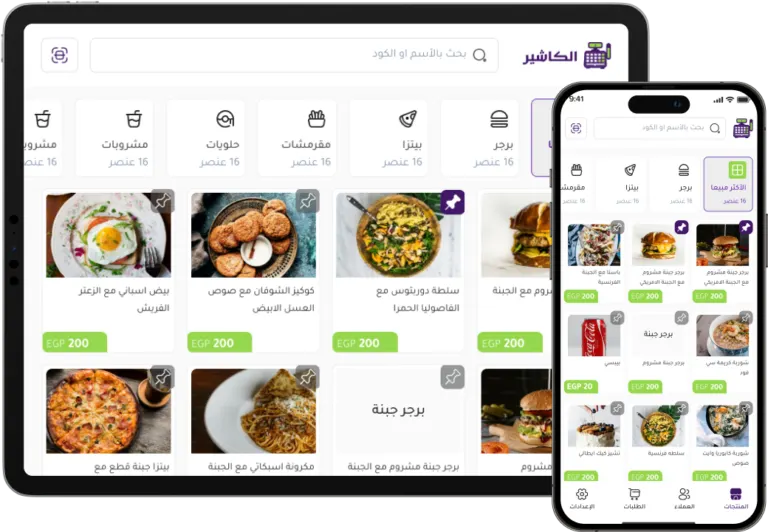
First: understanding the dashboard in Alcashier
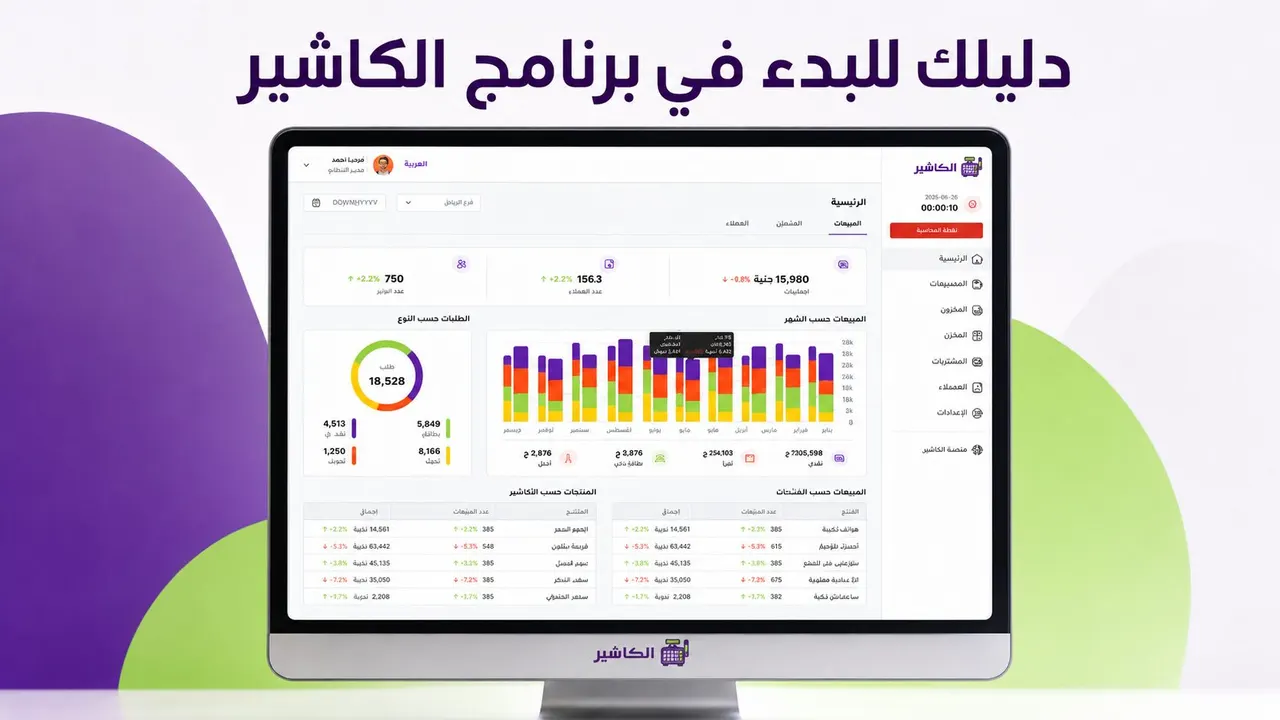
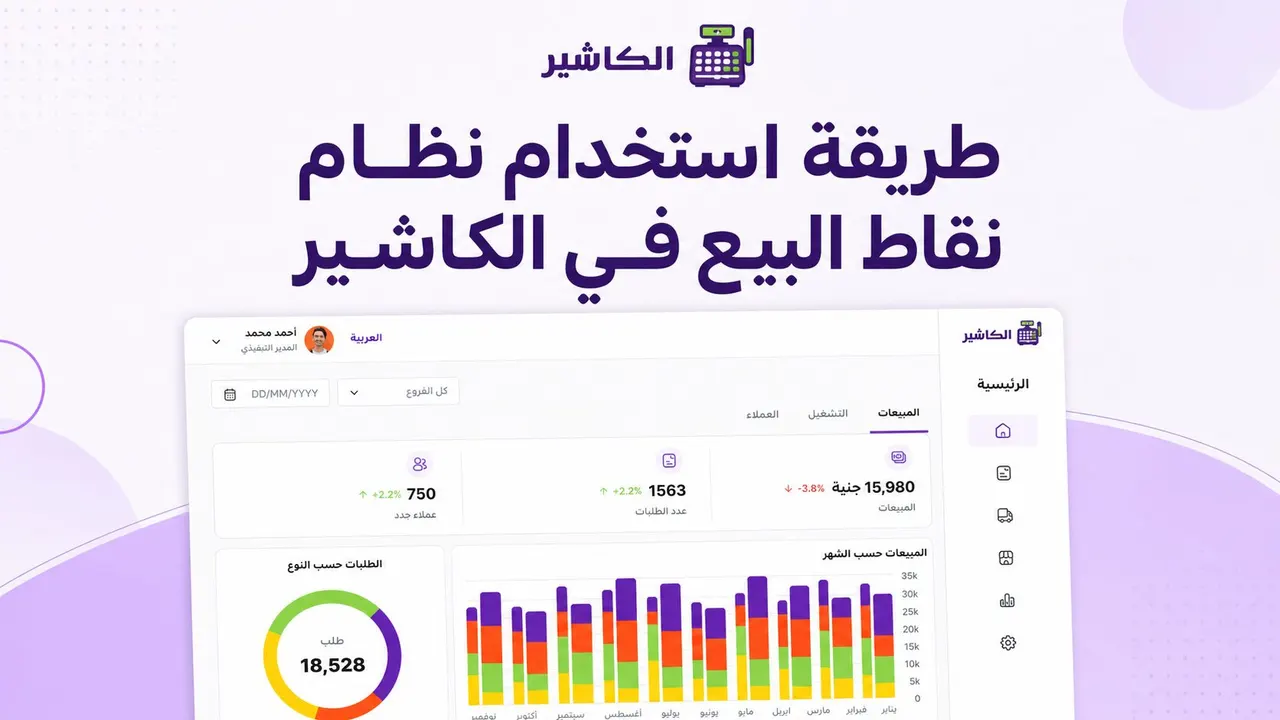
The dashboard is the home page that gives you a comprehensive view of your business performance. From it you can follow sales, orders, customers, payment methods, best-selling products, and cashier performance.
The dashboard helps you answer important questions such as:
- How much were today's sales?
- How many orders were fulfilled?
- What are the most-ordered products?
- Who are the biggest-spending customers?
- What is the most-used payment method?
- Which branch is performing best?
- How does performance change over the week or month?
Having this data in one place makes a sales management program an important decision-making tool, not just a way to record invoices.
Sales reports in the dashboard
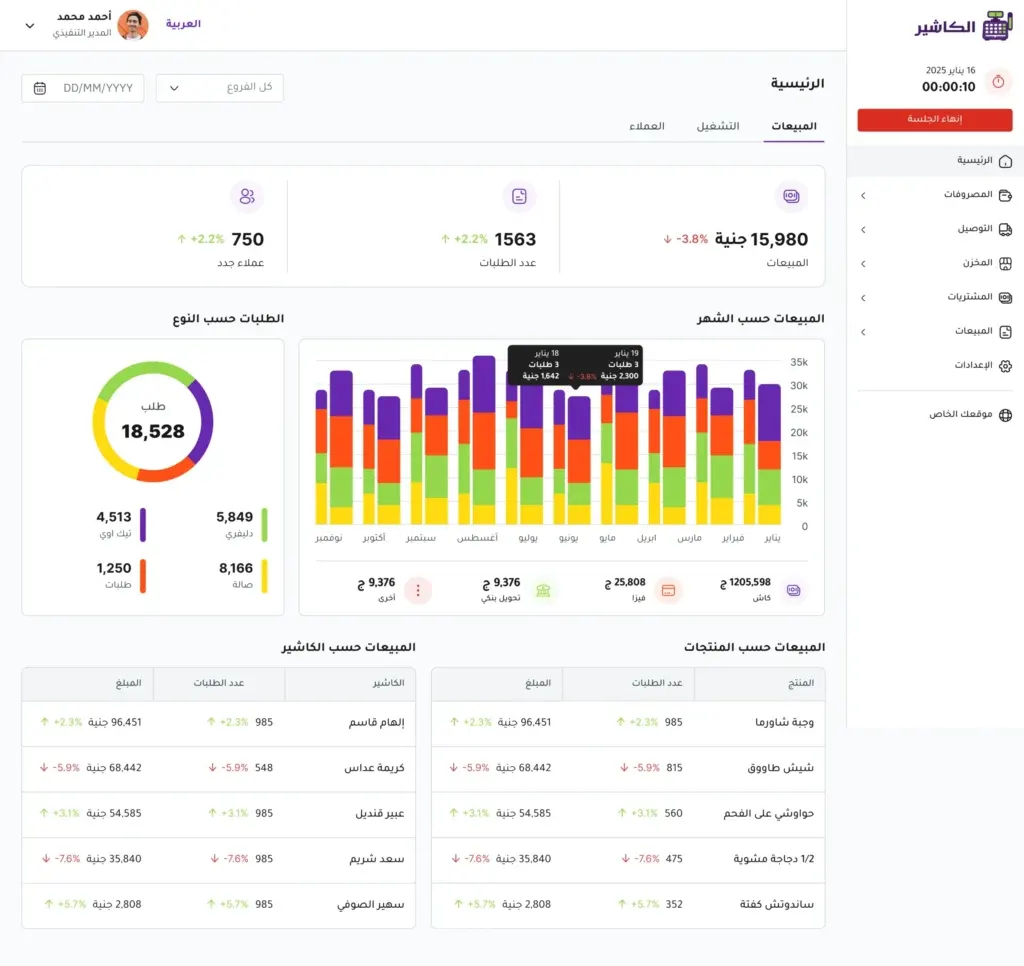
The dashboard in Alcashier offers a set of reports and charts that show sales performance directly. These reports help you monitor daily activity and analyze results easily.
Sales, orders and new customers statistics
At the top of the dashboard, you can follow key indicators such as total sales, number of orders, and number of new customers. These indicators give you a quick picture of business performance over the selected period.
For example, if you notice an increase in orders but a drop in total sales, you may need to review the average order value or the offers and discounts being used. And if the number of new customers rises, this may indicate that your marketing campaigns are working or that the customer experience has improved.
Payment method analysis
The system displays a chart showing the number of orders by payment method, such as cash, mada or Visa card, bank transfer, or STC Pay, depending on the methods available in your business.
This report is important because it helps you learn your customers' payment preferences. If most customers use cards or digital wallets, you may need to make sure electronic payment methods are ready and fast in the branch.
Order type analysis
Through the dashboard, you can see orders by type, such as dine-in orders, pickup orders, delivery orders, or takeaway orders.
This data is very important, especially for restaurant and café owners. If you use restaurant cashier software, knowing the share of delivery orders compared with dine-in orders helps you organize staff, prepare the pickup area, and identify peak times.
Sales by product
The system displays the products sold, the quantity, and the total sales value of each product. This report helps you find the most profitable or most-ordered products.
You can use this data to improve your menu or product list, increase the availability of items in demand, or stop weak products that don't sell well. The report also helps you plan promotions better, instead of offering random discounts.
Sales by cashier
This report shows the cashier's name, the number of orders they handled, and the total value of the orders. It is one of the most important reports to help management track staff performance.
This report isn't used only for monitoring; it can also be used to improve training and task allocation. If one employee gets better results at peak times, their experience can be used to organize work or train new staff.
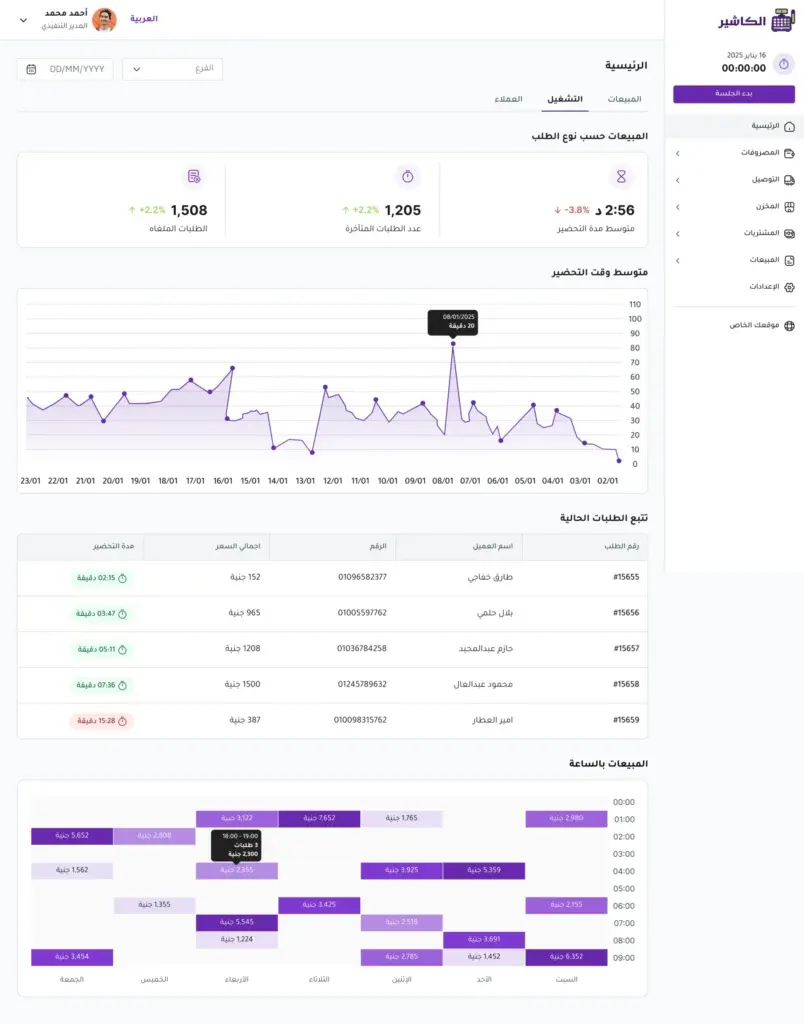
Customer reports in Alcashier
The dashboard isn't limited to sales reports; it also includes customer reports. These reports help you understand customer behavior and improve the buying experience.
New, existing and returning customers
The system shows the number of new customers, existing customers, and returning customers. This data is important because it reflects how well your business attracts new customers and keeps existing ones.
An increase in returning customers usually means the buying experience is good and that customers find value in your products or services. But if the number of new customers is good while the return rate is low, you may need to review service quality, order fulfillment speed, or loyalty programs and offers.
Sales by region
If your business offers delivery, the sales-by-region report helps you find which cities or neighborhoods generate the most orders.
This information is important for identifying the most active delivery areas, improving delivery fees, or launching marketing campaigns targeted at specific areas. It also helps you see whether there is strong demand from an area that might deserve a new branch in the future.
Top ordering customers
The system displays a list of the top-ordering customers, with the number of orders and the total value of their purchases. This data can be used to improve relationships with key customers through special offers or personalized marketing messages.
In restaurants and stores, knowing your most loyal customers helps you build a stronger marketing strategy, because retaining an existing customer is usually easier than winning a new one.
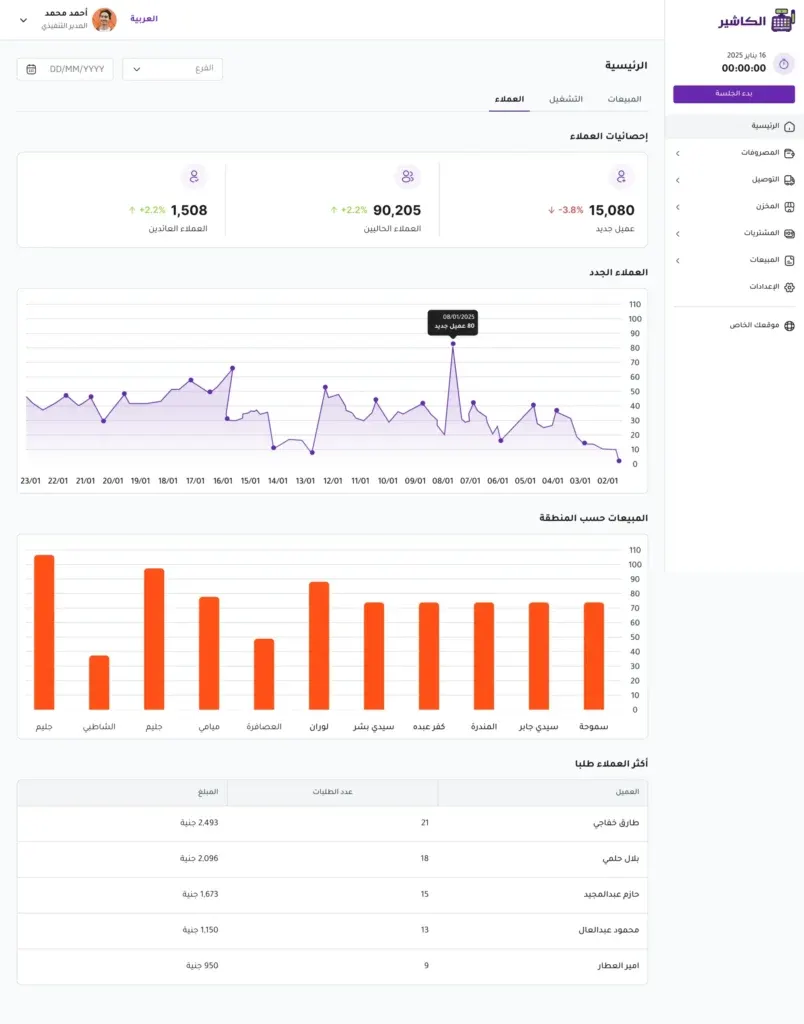
Using filters to read data accurately
One of the most important features of the dashboard in Alcashier is the ability to filter data by branch and time period. You can choose a specific branch to follow its performance, or view data for all branches together.
You can also choose the appropriate time period, such as today, last 7 days, this month, this year, or a custom range with a start and end date you set manually.
Charts update automatically when you change the filter, which makes performance analysis faster and more accurate. This feature is very useful for businesses with more than one branch, because it lets you compare performance between branches and identify strengths and weaknesses.
Second: starting a sales session in Alcashier
Before creating orders and serving customers, you must start a sales session in the system. This step is important because it links daily operations to the branch and the cashier responsible for fulfilling orders.
To start the session, you select the branch you work in, then select the cashier, and then click the “Start session” button.
This step helps organize the accounts at the end of the day, because every sale is linked to the branch and the responsible employee. This makes reviewing sales, payments and orders clearer.
Using sessions in a professional point-of-sale program prevents overlap between staff and makes tracking daily sales more accurate.
Third: creating a new order manually
Alcashier lets you create orders manually from inside the system in an organized and fast way. This feature is important for orders received in the branch, by phone, or through a sales employee.
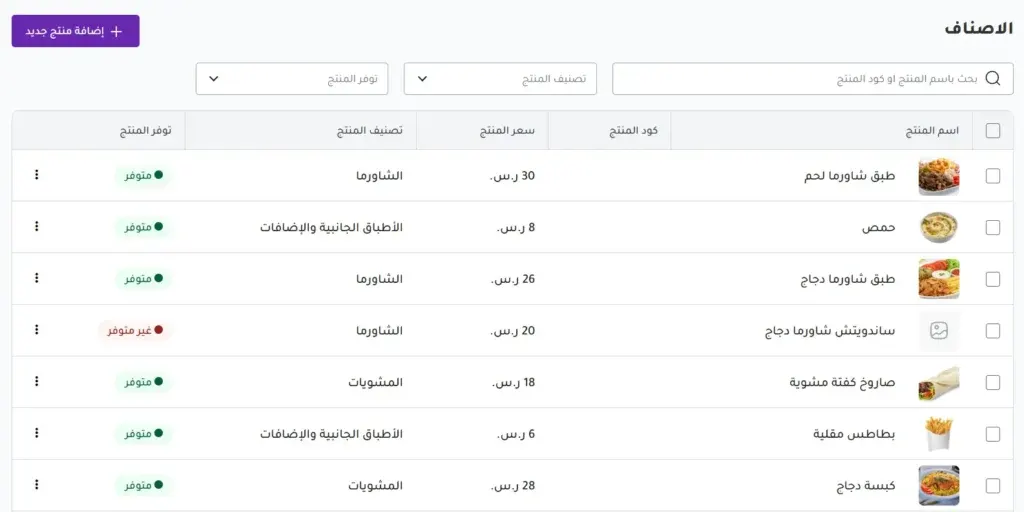
To create a new order, go from the side menu to the Sales section, choose Orders, and click the “New Order” button.
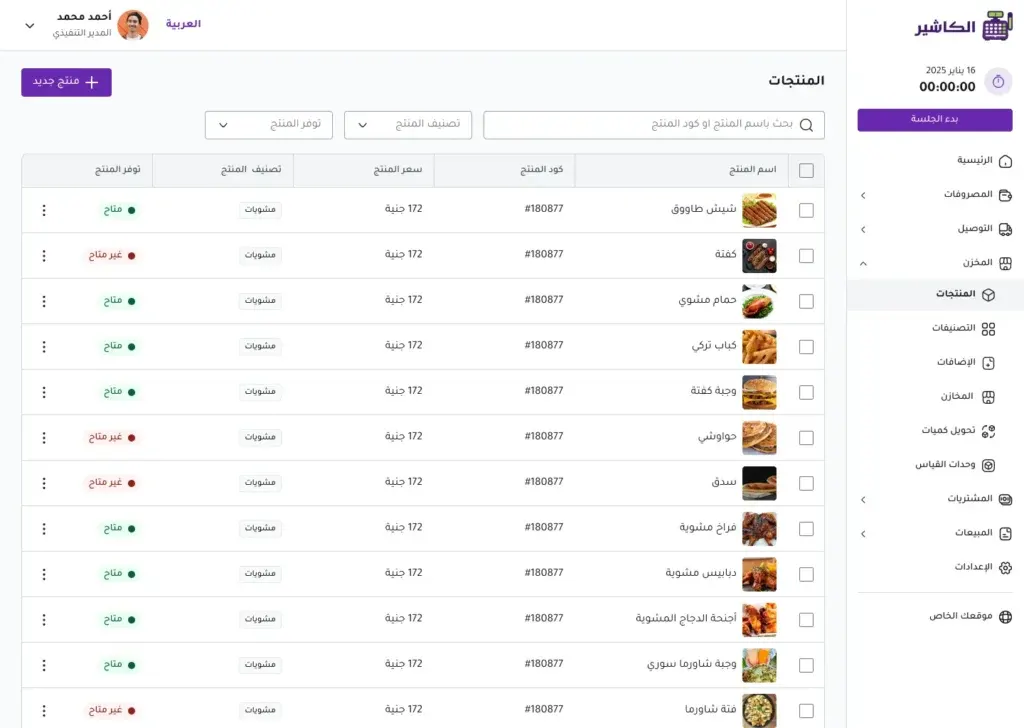
After that, the order screen appears, containing the full list of products by category, as well as the most-ordered products for quick access.
This method makes selling faster, especially at peak times, because the cashier doesn't need to spend long searching for frequently sold products.
Choosing products and setting quantity and modifiers
After opening the order screen, the cashier can select the products the customer wants. If a product has modifiers or different options, they can be set while creating the order.
For example, in restaurants you can add special notes or modifiers to the meal. In stores you can specify the quantity required of each product.
This flexibility makes the system suitable for use as restaurant cashier software or a point-of-sale program for stores, because it supports the different nature of orders across businesses.
The more clearly products are categorized in the system, the faster and more accurate the sales process becomes. So it is recommended to organize products into suitable categories, such as drinks, meals, desserts, modifiers, or any category that fits the nature of the business.
Fourth: selecting a customer or adding a new one
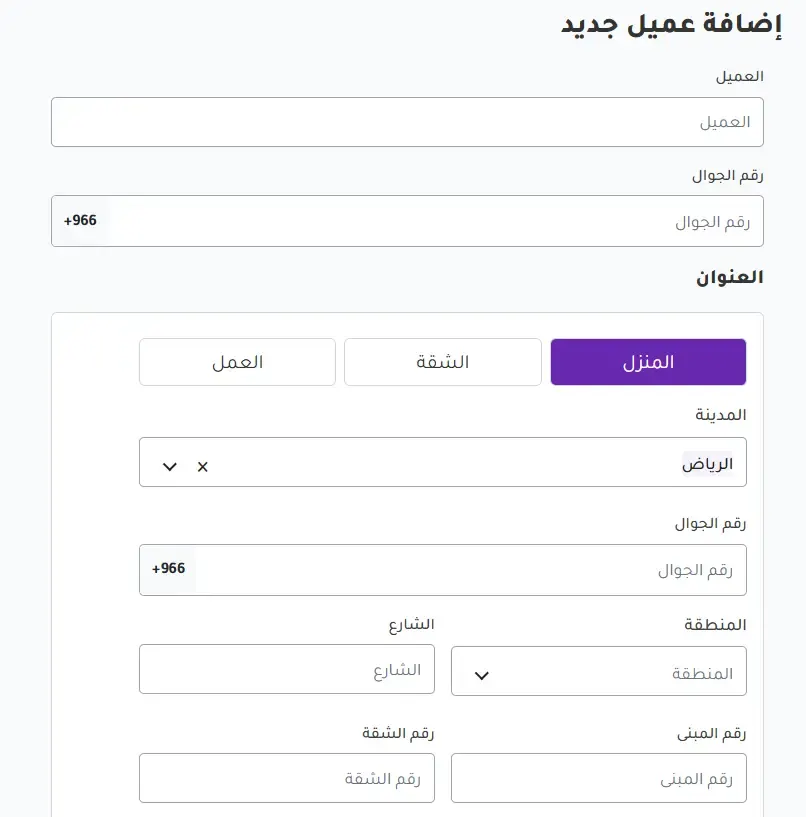
After selecting the products, you can choose an existing customer from the database, or add a new customer.
When adding a new customer, you can enter details such as name, mobile number, and the full address if the order is for delivery. The address may include the city, area, street, building number, or any other details that help complete the order.
Having customer data in the system helps you later analyze buying behavior, identify returning customers, and offer a better experience. It also reduces errors in delivery orders, because the data is saved and can be referred to.
In modern sales systems, customer data is no longer just extra information; it has become part of customer relationship management and marketing improvement.
Fifth: choosing the order type
After selecting the customer, you choose the order type. Alcashier supports several order types, such as delivery, pickup from the branch, dine-in, or takeaway.
Choosing the order type accurately is important because it affects how the order is fulfilled, the order status, delivery fees, and how it is tracked.
Delivery orders
If the order is for delivery, you can enter the delivery fee if one applies. The address data is also used to make fulfilling and tracking the order easier.
Pickup orders
For pickup from the branch, the customer is responsible for collecting the order themselves, and the team only needs to prepare the order and update its status when it's ready.
Dine-in and takeaway orders
Dine-in orders suit restaurants and cafés that serve customers on the premises, while takeaway orders suit customers who want to take the order with them.
Splitting orders this way makes your reports more accurate and helps you understand the nature of the orders in your business.
Sixth: recording payment and managing collection
After the order is confirmed, you move on to the payment step. At this stage, the cashier chooses the payment method, such as cash, Mada, bank transfer, or any other available method.
Next, you enter the amount paid and the discount, if there is one. The system calculates the remaining amount automatically, which reduces calculation errors.
You can also set the payment status, whether the amount has been collected or is still pending collection. This feature is very important when reviewing daily accounts, because it shows which orders are fully paid and which ones need follow-up.
Having this step inside your sales management software helps management link orders to payments in an organized way, instead of relying on manual follow-up.
Seventh: issuing and printing the invoice
After payment is completed, the invoice appears and can be printed right away. Issuing the invoice from within the system makes the sale more professional and gives the customer a clear document with the order details.
The invoice doesn't only benefit the customer; it also helps the business owner keep records, review orders, and track sales. With a complete POS software, the invoice is linked automatically to the order, the payment, and the reports.
This connection cuts the time wasted on manual review and helps organize the financial operations of the business.
Eighth: tracking the order status after it is created
Once the order is created, it appears on the Orders page, and you can track its status and update it as the work progresses.
Statuses you can use include:
- Preparing.
- Ready.
- Out for delivery.
- Delivered.
- Unassigned.
- Rejected.
Updating the order status helps the team know the current stage of each order. It also helps management spot any delays in preparation or delivery.
For example, if a large number of orders stay in the “Preparing” status for a long time, there may be pressure on the kitchen team or a problem in how the work is organized. And if orders are delayed in the “Out for delivery” status, you may need to review delivery performance or how areas are distributed.
The edit log feature also helps document what happened within the order, which raises transparency and makes reviewing operations easier.
Ninth: receiving orders from your website
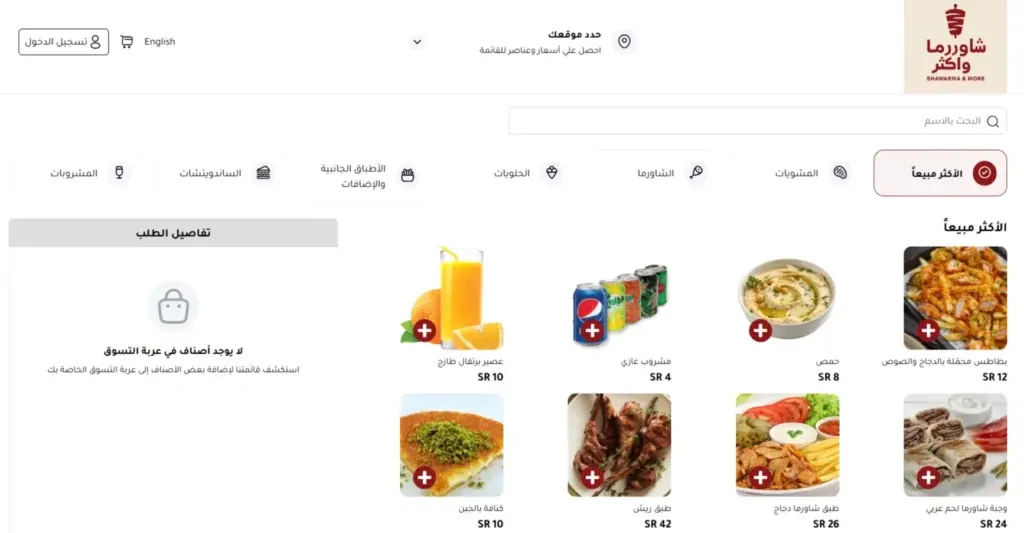
One of the most important advantages of Alcashier is that it isn't limited to manual orders; it lets you receive orders from your store's own website. This means the customer can browse products or the menu, add items to the cart, choose the order type, enter their details, and send the order straight to the system.
This feature matters for restaurant and store owners who want to rely less on phone calls or manual messages. When a customer orders from the website, the order details appear in the system automatically, with no need to re-enter the data.
This link between the website and the point-of-sale system helps reduce errors, speed up order intake, and improve the customer experience.
How does a customer order from the website?
The customer journey starts by visiting the store's website. They then browse the online menu or the products and add the items they want to the order cart.
When they're done, the customer chooses the order type, whether delivery, pickup, or dine-in, depending on the available options. If the order is for delivery, they enter their address details.
Then they choose a suitable payment method, such as cash on delivery, card, transfer, or any payment method available in the system.
Once the order is sent, it appears immediately in Alcashier, and the team can review and fulfill it.
Where do online orders appear in the system?
Orders coming in from the website appear in the Online Orders section of the system. From there you can review the order details, the customer's information, the products ordered, the order type, and the payment method.
If the order is for delivery, you can assign a delivery driver and track the order status until it is complete. If the order is for pickup, you can update the status when the order is ready and let the customer know.
Having online orders in the same system prevents scattering across several channels. Instead of following orders separately through the phone, WhatsApp, the website, and the branch, they are all gathered in one dashboard.
This is where the value of an integrated point-of-sale system shows, because it brings sales from different channels together in one place.
Steps for handling an order after receiving it from the website
Once the order arrives from the website, the review and fulfillment stage begins. First, you check the order details and the products requested. Then, if the order is for delivery, you assign a delivery driver.
Then the order status is updated step by step, from preparing to ready, then out for delivery, then delivered.
If payment hasn't been made in advance, you can confirm the payment in the system when you collect it. Once the order is complete, it is added automatically to the Dashboard reports.
This process makes managing online orders clearer and helps the team handle orders quickly and accurately.
How do orders appear in the Dashboard reports?
As soon as the order is completed and payment is confirmed, it is added automatically to the Dashboard reports. The order shows up in total sales, number of orders, payment methods, order type, sales by product, and sales by cashier or channel, depending on the data available.
This means the business owner doesn't need to enter the order data into the reports again. Everything happens automatically inside the system.
This feature saves time, reduces errors, and gives management accurate reports that help evaluate performance.
For example, you can see how many orders came in from the website, their total value, the most requested products through the website, and the areas that delivery orders come from.
Best practices for using a point-of-sale system efficiently
Using a point-of-sale system doesn't just mean entering orders. To get the best result, you need to use the system in an organized way.
First, keep your products and prices up to date. Any mistake in a price or product can cause problems with the invoice or the customer experience.
Second, train your staff to start a session, create an order, choose the customer, set the order type, record payment, and update the order status.
Third, review your reports daily or weekly. Reports aren't useful if they aren't used to make real decisions.
Fourth, use the branch and date-range filters to understand performance precisely. Overall performance may be good while one branch needs improvement.
Fifth, connect your website to the system if you receive online orders. This helps you organize orders and reduce the errors caused by manual entry.
How does Alcashier help restaurant and store owners?
Alcashier helps restaurant and store owners organize daily operations through one system that brings together sales, orders, payment, invoices, customers, and reports.
For restaurants, it can be used as restaurant cashier software to manage dine-in orders, delivery, pickup, and takeaway. Stores can use it to track sales, best-selling products, staff performance, and customer analysis.
Alcashier's key advantage is that it doesn't stop at completing the sale; it helps the business owner see the full picture. That's what makes the system an important tool for growth, not just software for recording orders.
Manage your sales and inventory in seconds with Alcashier!
Control sales, inventory and users in moments, and give your business an integrated system that runs smoothly without complexity.
Create your store for freeFrequently asked questions (FAQ)
What is the difference between cashier software and a point of sale system?Cashier software usually refers to the tool the employee uses to record orders and issue invoices. A point-of-sale system is a broader concept that covers recording sales, managing orders, payment, customers, reports, and connecting different branches or channels.
Can POS software be used for restaurants and stores together?Yes, flexible POS software can be used in both restaurants and stores if it supports products, categories, order types, payment methods, and reports. Alcashier is an example of a system that can be adapted to different types of businesses.
Does a point-of-sale system help reduce errors?Yes, because it reduces reliance on manual recording. When you enter orders, choose products, record payment, and issue invoices from one system, errors in calculations, orders, and reports go down.
Can orders from the website be received inside a POS system?Yes, in modern systems such as Alcashier, the website can be connected to the point-of-sale system, so online orders appear directly in the system and are tracked until they are complete.
What is the most important report to follow in sales management software?No single report is enough on its own, but among the most important are total sales, sales by product, payment methods, order type, and cashier performance. These reports help you better understand sales and operations.
Conclusion
Using a point-of-sale system the right way can change how you run your whole business. Instead of treating orders, sales, invoices, and reports as separate tasks, the system brings them together in one place, which saves time, reduces errors, and improves the customer experience.
With Alcashier, you can follow the Dashboard, create manual orders, receive orders from your website, record payments, issue invoices, and update order statuses with ease. You can also analyze performance by branch, date range, product, customer, and payment method.
Whether you're looking for cashier software for your store, restaurant cashier software that supports delivery and pickup, or POS software that helps you organize sales, Alcashier offers a practical model of a modern system that supports business owners in running their daily operations with confidence and clarity.
The more regularly you use the system and the more smartly you review its reports, the faster, more accurate, and more closely tied to the reality of your business your decisions become.
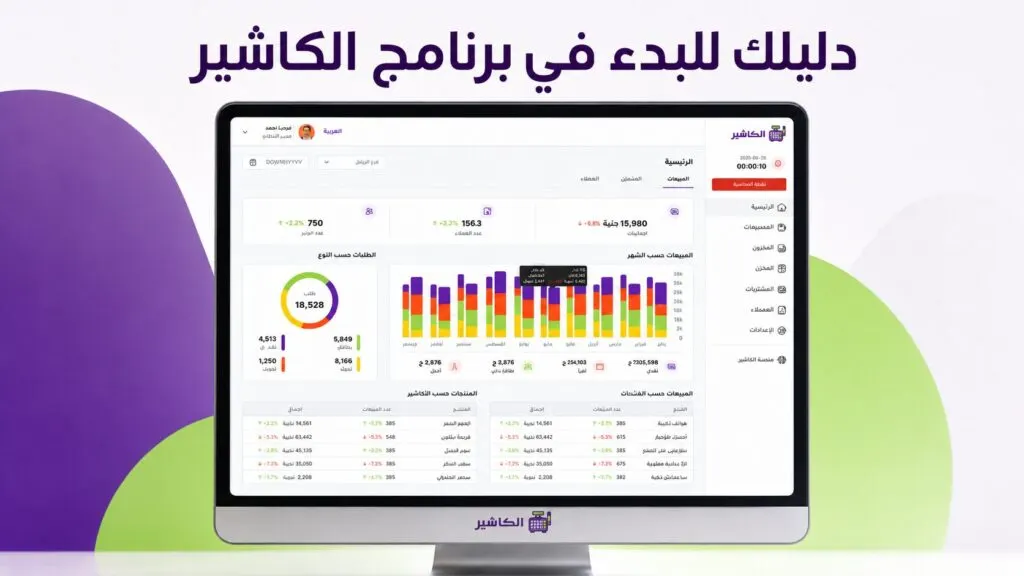
Alcashier POS software: your guide to getting started with a point-of-sale system
Using cashier software is no longer an optional step for shop, restaurant and café owners, but an essential part of running any business…
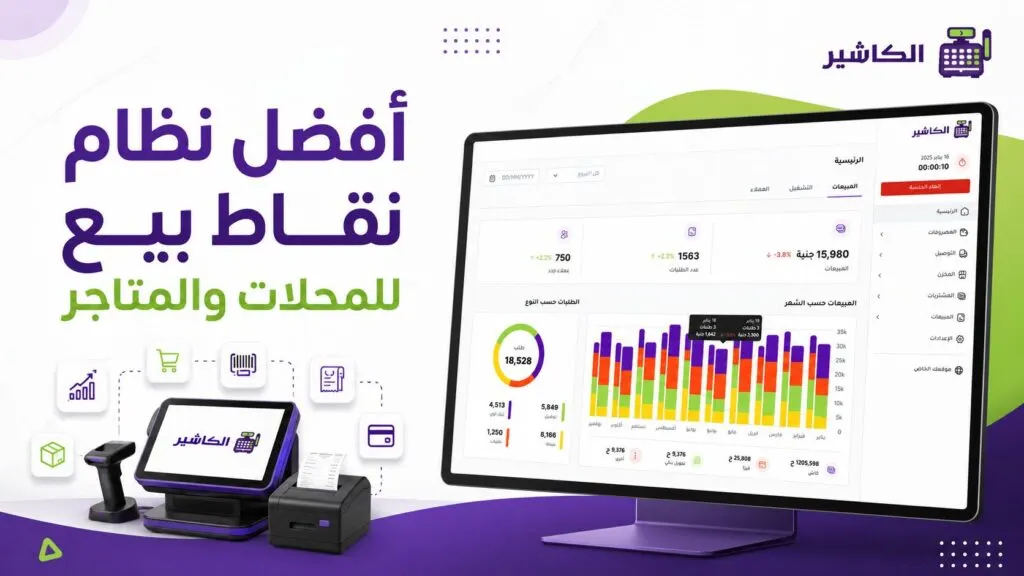
The best point of sale system for shops and stores
Choosing the best point of sale system for shops and stores is no longer just a technical decision, but a management decision that directly affects the speed of…
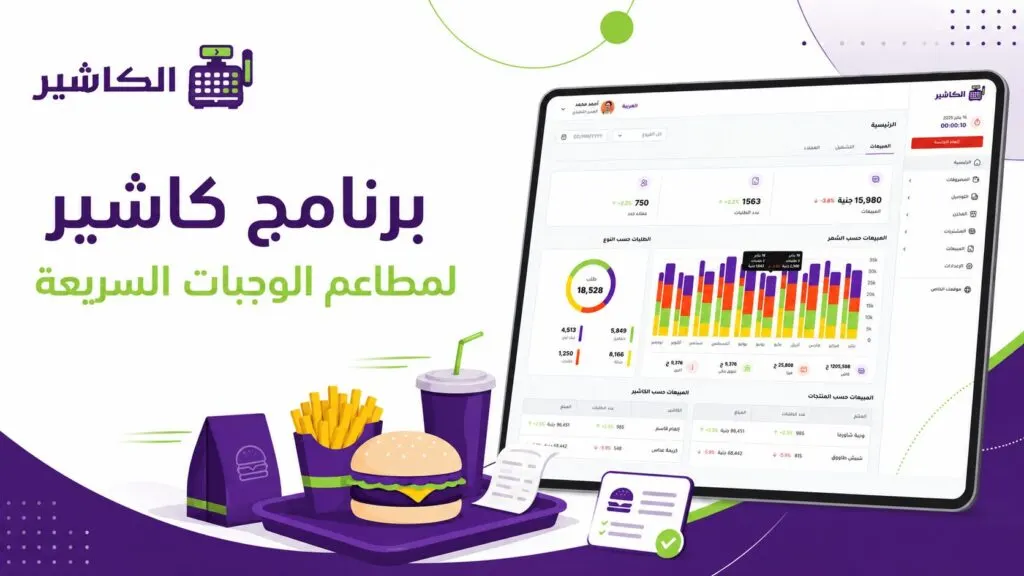
Cashier software for fast food restaurants: which features do you really need?
Running a fast food restaurant is not as simple a task as it looks from the outside. Customers expect fast service, accurate orders, flexible payment and an experience…
The post How to use the point-of-sale system in Alcashier: a guide to managing sales and orders appeared first on Alcashier software.