Cashier
 Deutsch
 Français
 Español
Products
Best sellers, with trend
Quantity and sales per product, each with change vs last period.
Pick a branch and a date range and see sales, orders and new customers, each with its change against the previous period. Then drill into products, cashiers, payment methods and order types.
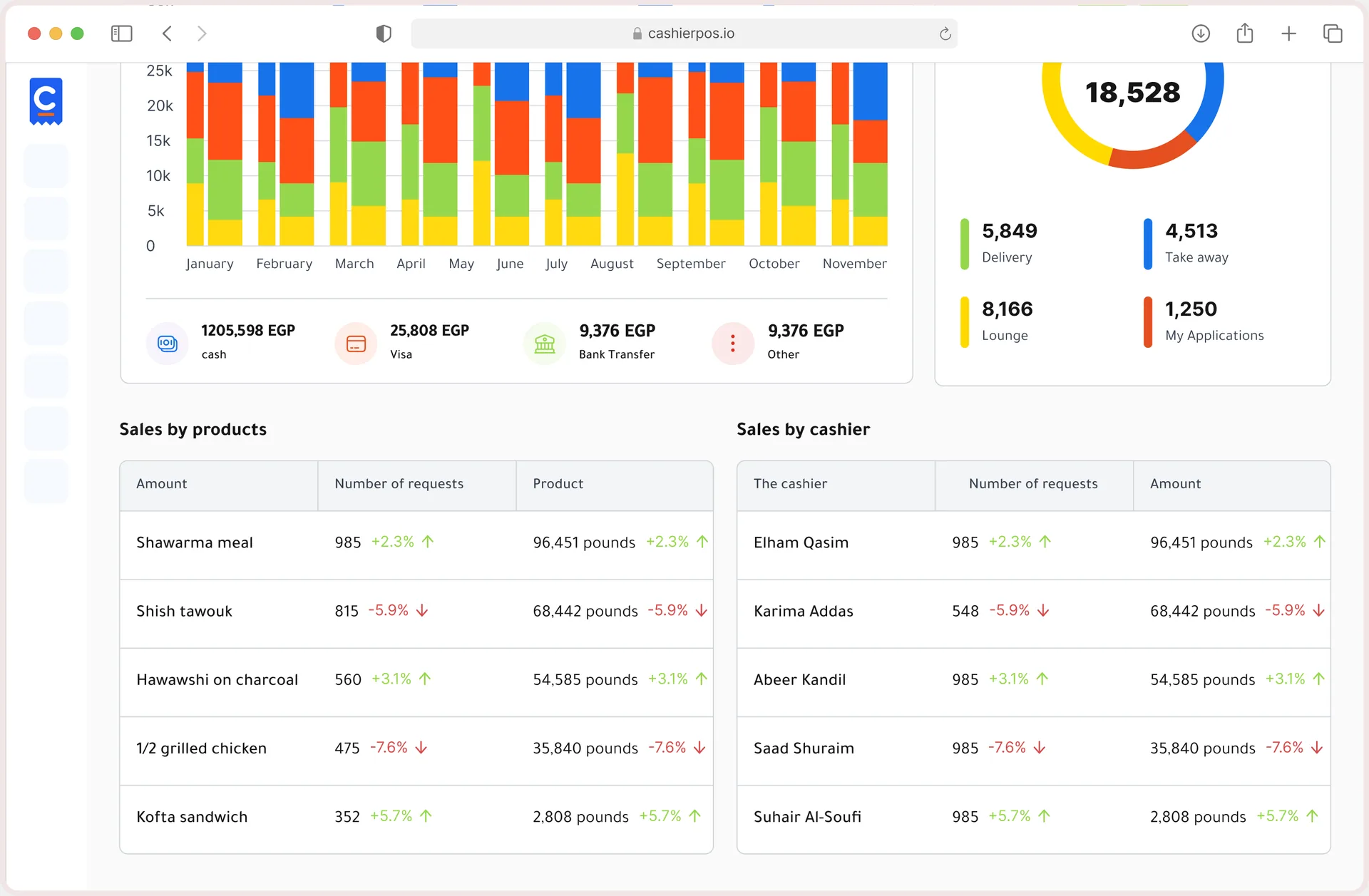
Sales vs last period, Orders, New customers, Sales by payment method, Orders by type, Sales by product, Sales by cashier and Products report.
See all featuresAll branches or one; today, last 7 days, this month, this year or a custom range.
Start freeSales, orders and new customers each show % change vs the previous period.
Start free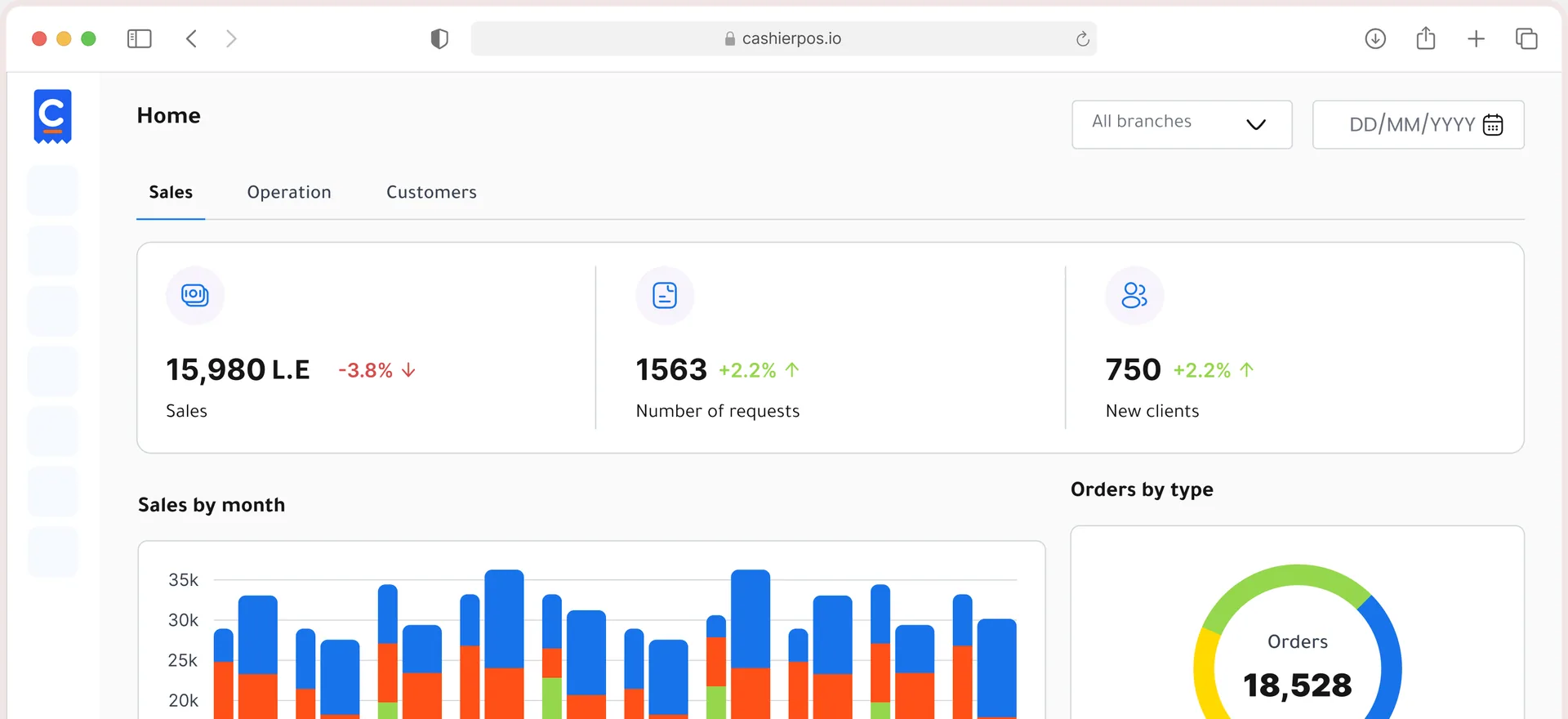
Split by payment method (cash, card, transfer, Talabat) and by order type (dine in, takeaway, pickup, delivery).
Start free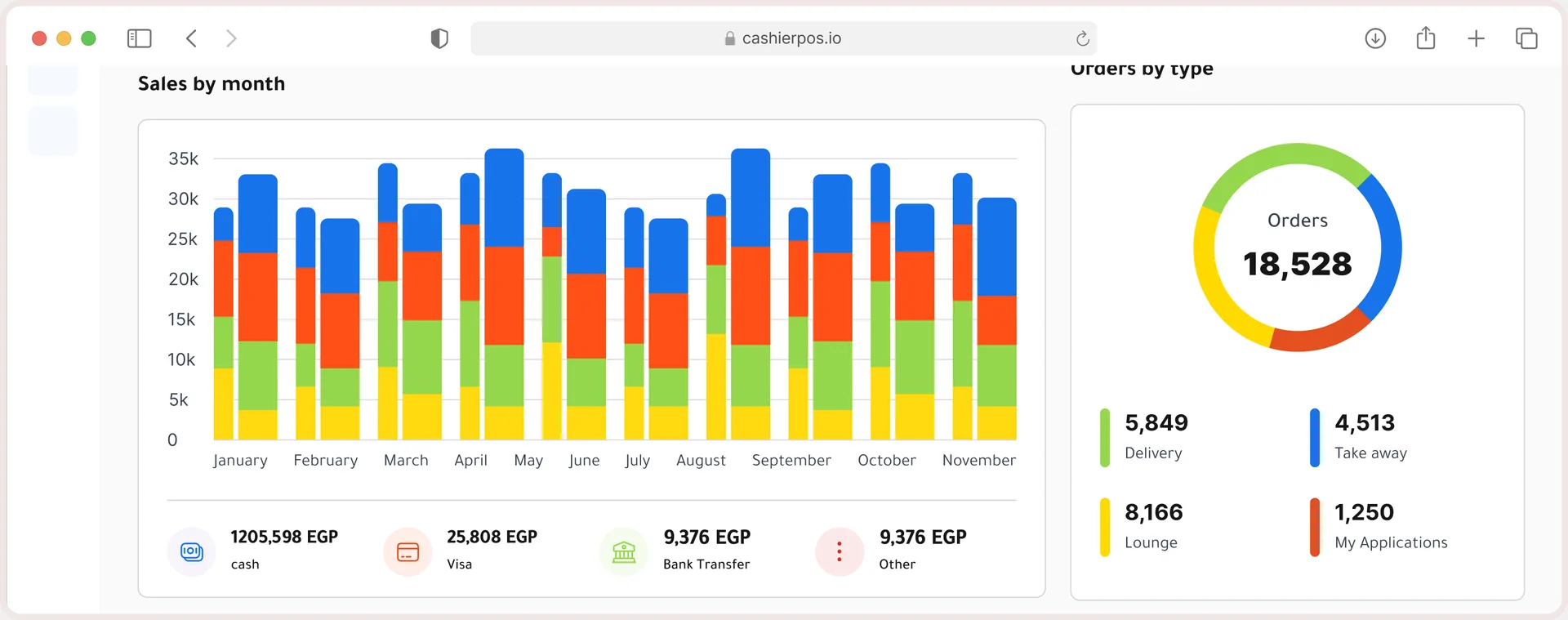
Quantity and sales per product, and orders and sales per cashier counter.
Start free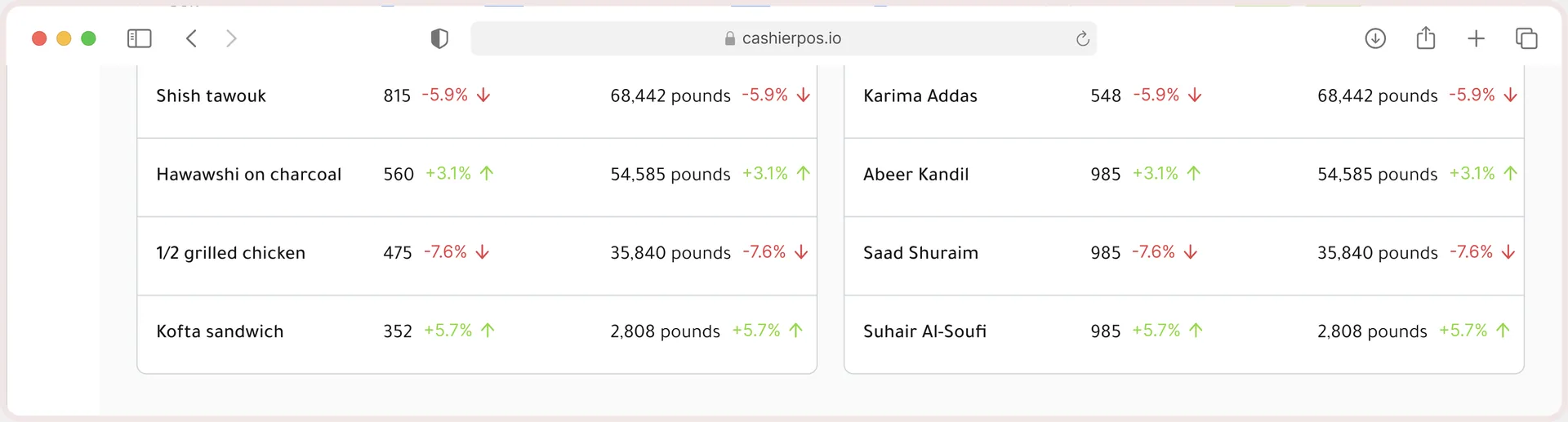
Every tool your counter needs on a busy day, built in and ready from your first sale.
Products
Quantity and sales per product, each with change vs last period.
Cashiers
Orders and sales for every cashier counter.
Channels
Dine in, takeaway, pickup and delivery side by side.
Export
Search, export or print. Pro
Connected
Counter sales, website orders, Talabat orders and deliveries all land in the same dashboard.
Free covers one user, one cashier and one branch. Pro removes the limits.
One user, one cashier and one branch.
Unlimited users, cashiers and branches, priced per extra cashier and branch.
The dashboard is included on every plan. The products report and advanced expense reports are Pro features.
From one café to a chain of stores, Cashier POS fits the way you sell.
Every Cashier POS feature shares one catalog and one set of numbers, so nothing needs to be entered twice.
Explore all features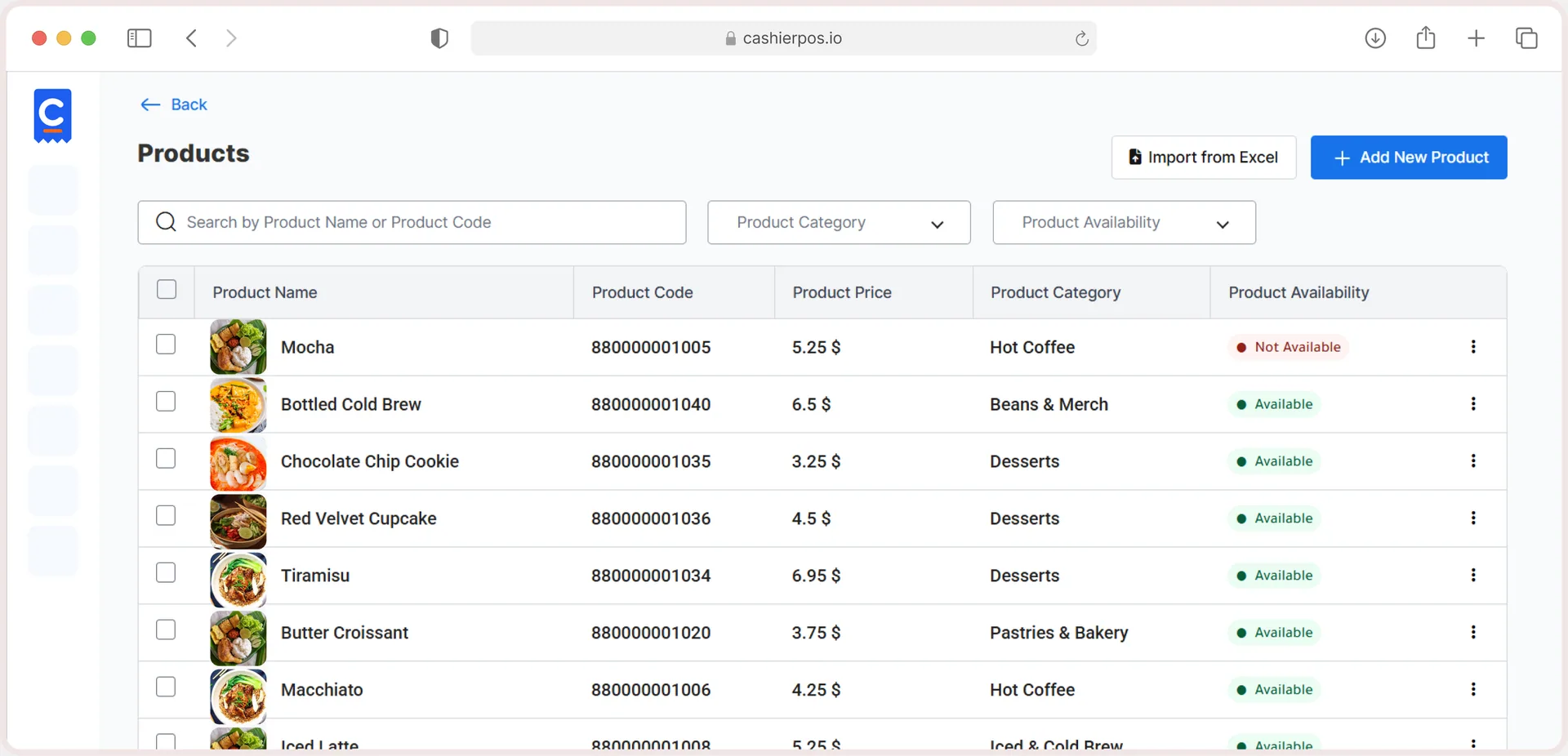
Free online store
Sell in-store and online from one catalog, with stock that stays in sync.
Sales, orders and new customers with % change, sales by payment method, orders by type, sales by product and sales by cashier.
Yes. Any branch, preset periods or a custom range.
Yes, orders and sales for each cashier counter.
Yes, the products report can be exported or printed on Pro.
Reports are listed as a Pro feature.
Moving from another POS, opening a new branch or want help setting up? Our team is ready to help.
Get in touch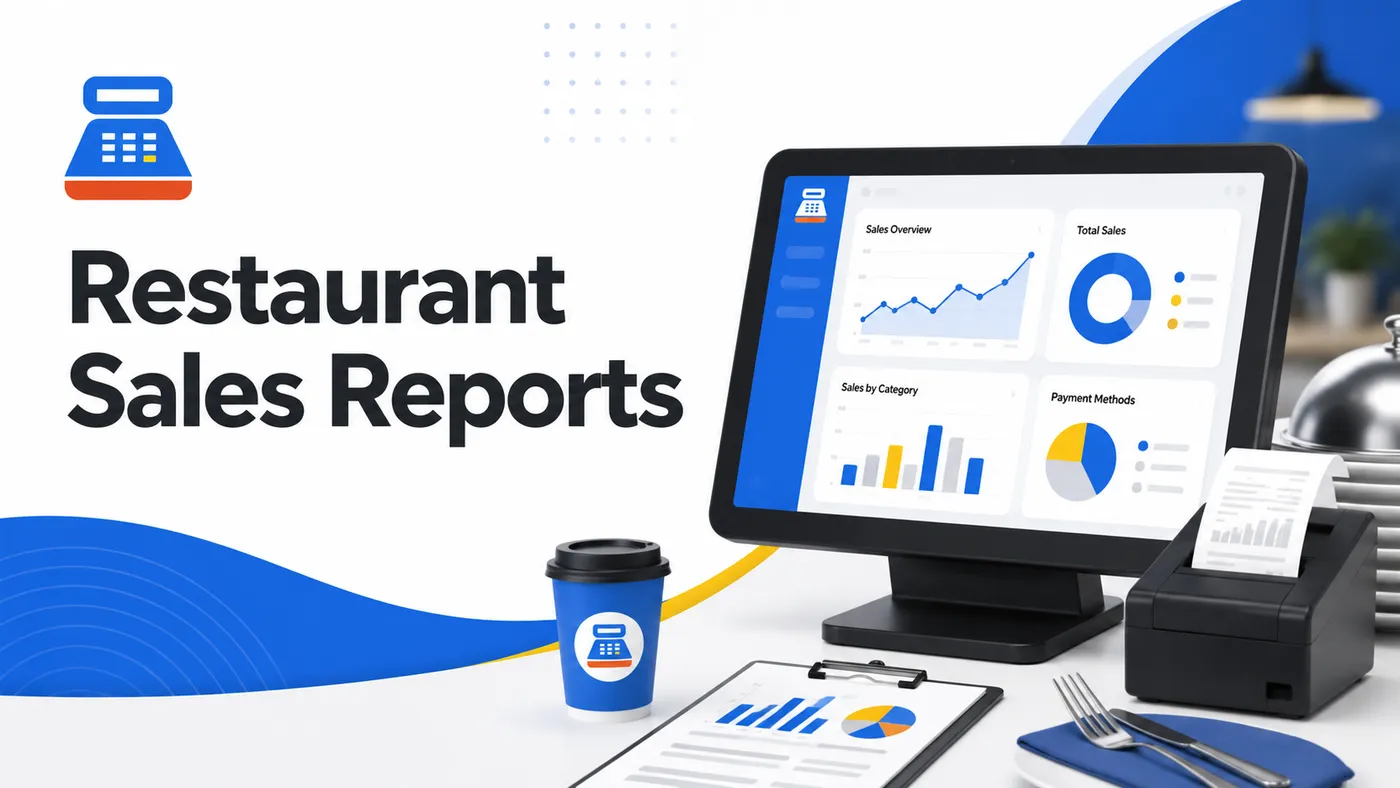
From the blog · Jul 13, 2026
Learn how restaurant sales reports and analytics help you understand customers, improve your menu, reduce waste, and increase profits.
Read the article
From the blog · Jan 14, 2026
Discover how a modern POS system helps increase sales, improve efficiency, and boost profits without raising operational costs.
Read the article
Sell faster, track every item and run every location from one free POS.