With rapid technological progress, using cashier (POS) software has become an urgent necessity for every business owner looking to grow, whether they own a small store or a large network of branches, in order to achieve efficiency in managing sales, controlling inventory, and tracking financial and administrative performance.
With the variety of options on the market, there is a need to choose the most suitable software that meets the needs of the business efficiently and effectively, taking into account factors such as ease of use, compatibility with tax systems, scalability, and support for advanced features such as interactive reports and online store integration.
Best free cashier software
Software | Completely free | E-invoice support | Inventory management | Online store | Multi-branch support |
|---|---|---|---|---|---|
 |  | | | | |
 | |  | | | |
 | | | | | |
 | | | | | |
 | | | | | |
 | | | | | |
1. Alcashier: an integrated solution that supports e-invoicing
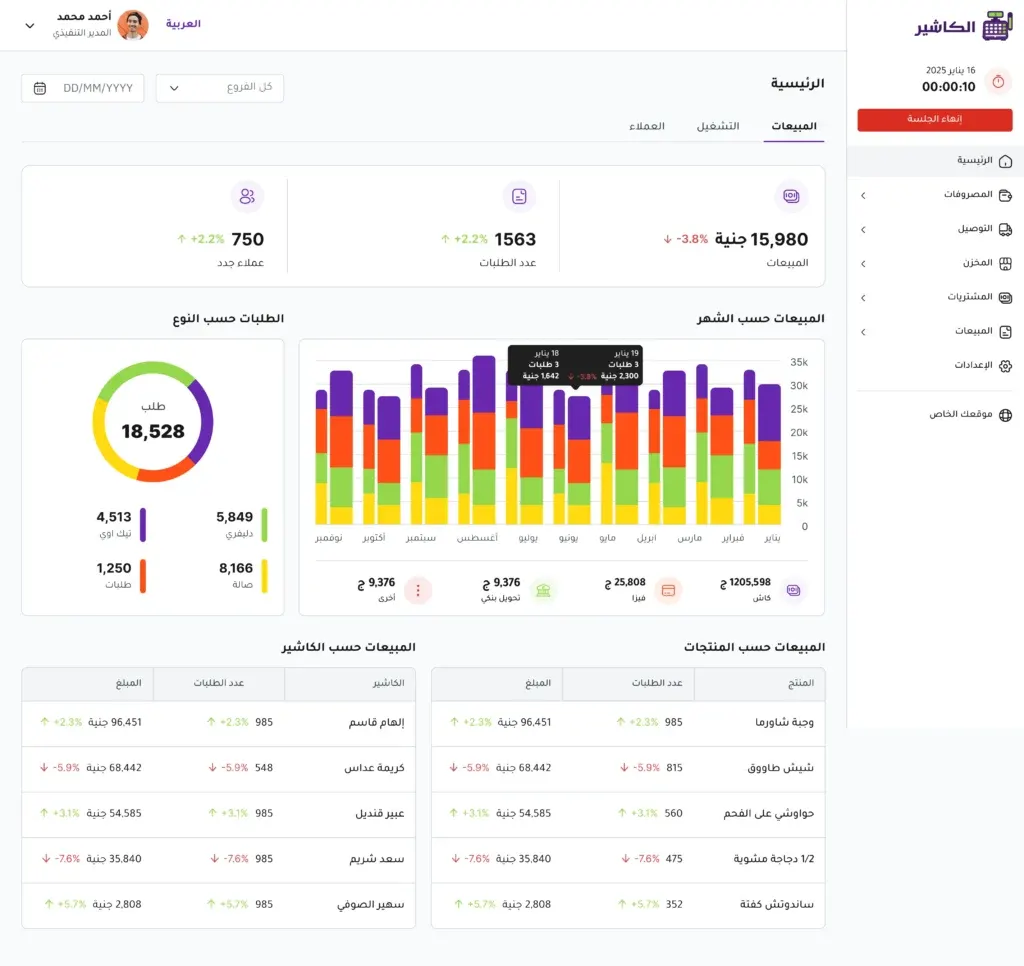
Before getting into the key features of Alcashier, it is important to realize that this software is not just a tool for invoicing or managing sales, but an integrated platform that offers a comprehensive solution for all kinds of businesses, from small shops to large restaurants. Alcashier was developed to combine simplicity with advanced functions that raise work efficiency and increase competitiveness.
Features:
- E-invoice support: Compliant with official tax requirements, which ensures full compliance with regulations and helps avoid fines.
- Online store integration: Lets you create a complete online store and connect it to the POS system easily, with real-time syncing of products and prices.
- Inventory and sales management: Close tracking of product movement and sales, with smart alerts when stock runs low.
- Analytical reports: Provides detailed daily, weekly, and monthly reports that help you make informed decisions and analyze overall performance.
- Easy-to-use Arabic interface: Designed to meet the needs of Arabic users, with technical support available in Arabic, plus dedicated apps for restaurants such as an orders screen and a kitchen screen.
Sign up now for free and enjoy e-invoice support and an online store.
Drawbacks:
It does not yet integrate directly with popular external accounting solutions, but it provides reports that can be easily exported and entered manually into accounting systems.
2. Loyverse POS: a versatile free software
Loyverse POS is among the best-known free systems and has become very popular with owners of small stores, cafés, and retail shops. It features a simple structure that is easy to install and use, which makes it suitable for beginners in the world of POS systems. Loyverse focuses on providing the basic tools a merchant needs to manage daily operations effectively, with the option to expand through paid add-ons offering advanced functions for those who need them.
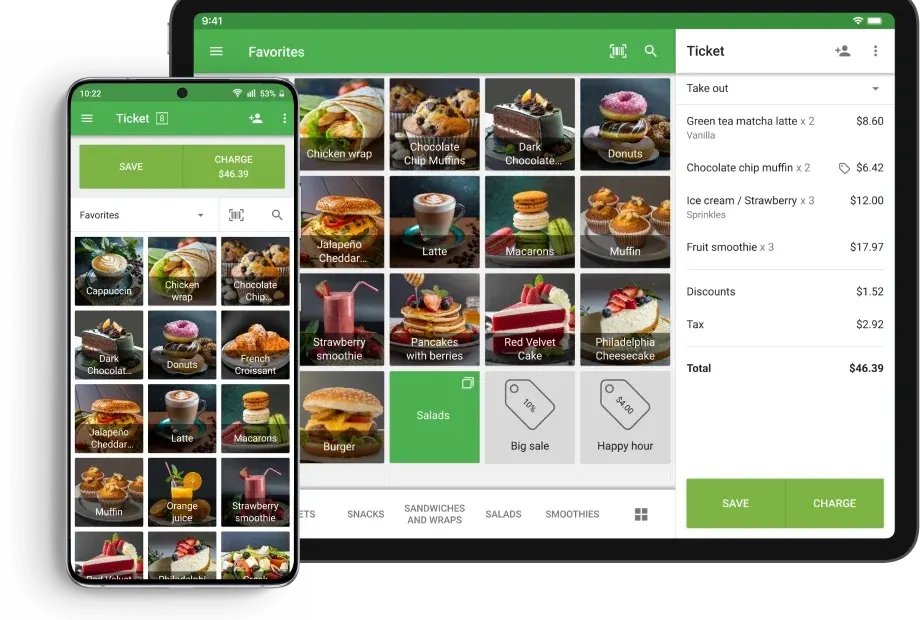
Features:
- Free: Offers most of the basic features at no cost, which makes it a standout choice for startups or those looking to cut expenses.
- Inventory and sales management: Close tracking of product movement and sales, with the option to set up low-stock alerts.
- Multi-branch support: Easily manage several branches from a single account, with separate reports for each branch.
- Additional apps: Such as a kitchen screen and a customer screen, which makes it suitable for some food and beverage businesses too.
Drawbacks:
- It does not support e-invoicing according to the local requirements of some countries, which may require additional solutions to integrate with official systems.
- It has no built-in online store, which may limit opportunities for digital expansion online.
3. Al Badr POS: a comprehensive software with a free online store
Al Badr POS is one of the well-known systems that meets the needs of many businesses, especially those looking for an easy-to-use solution that offers multiple capabilities without the need for huge investments. The software is suitable for owners of small and medium stores, and offers the ability to start digitally through a complete online store built into the system, which makes it suitable for entrepreneurs and startups looking to expand.
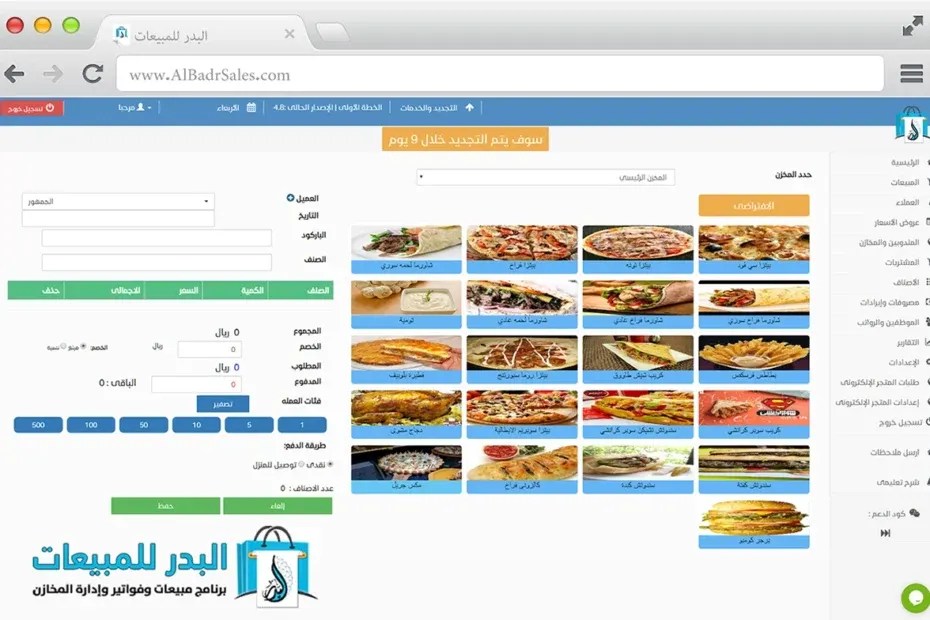
Features:
- Free technical support: It offers a free support team that helps users set up the system and answers their technical and administrative questions.
- Comprehensive management: Covers sales, inventory, customers, and vendors, with the ability to configure staff permissions and define roles.
- Detailed reports: Provides analytical reports that help in making informed decisions, such as profit and loss reports and monthly performance analysis.
- Multi-branch support: Ability to manage several branches from a single account, with dedicated reports for each branch separately.
Drawbacks:
- The user interface is less advanced than its competitors in terms of user experience and design.
- It may lack some advanced features in financial reporting, such as integration with accounting systems or predictive analytics.
Compare for yourself – try Alcashier now with no commitment.
4. Cashier POS (Fatora.io): a free software that supports e-invoicing
Fatora.io is one of the modern digital solutions that combines simplicity with the basic functions required to manage points of sale. This system was developed specifically to offer a flexible, quick-to-set-up user experience, which makes it a preferred choice for small businesses that need to launch their operations quickly and at low cost. Cashier POS features easy customization and a user-focused work environment without technical complexity.
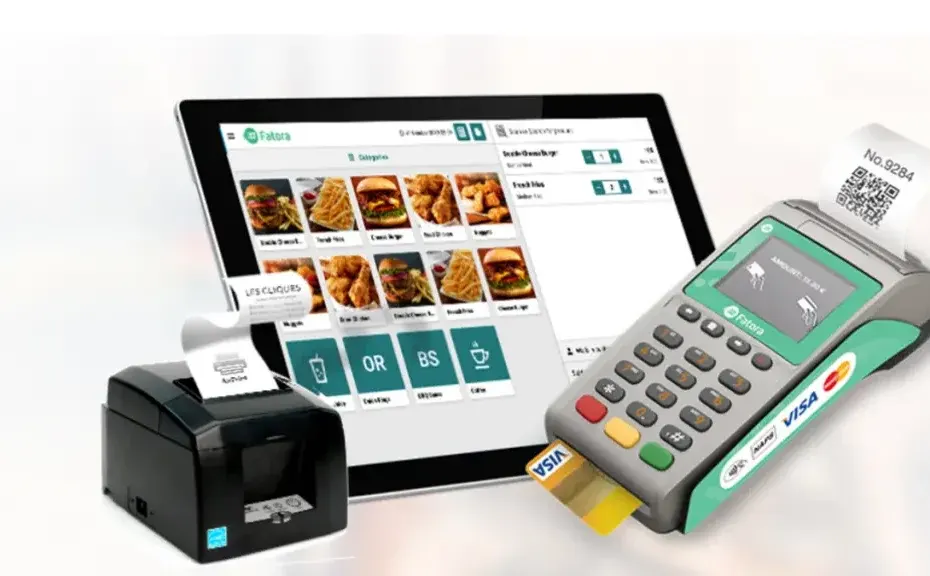
Features:
- Barcode and QR support: To manage products easily and speed up sales.
- Invoice printing: Ability to print invoices and receipts directly from the system.
- Ease of use: A simple user interface that requires no complex training, which reduces setup time.
- Cloud access: It works over the internet, so you can reach the system from anywhere at any time.
Drawbacks:
- The software is not completely free, as most core features require a paid plan. Users can start without paying, but as usage grows and you need advanced features, a subscription becomes necessary.
- It lacks customization options and online store integration, which may not suit businesses looking for more flexible and integrated solutions.
5. Foodics: An integrated restaurant management system
Foodics is one of the best-known POS systems for the food and beverage sector, and an ideal choice for restaurants and cafés that want integrated management of every operation, from the point of order to financial reports. It was designed to meet the needs of a demanding market that requires speed, flexibility, and integration with delivery services and financial systems, making it a good fit for businesses that want to improve operational efficiency and deliver an outstanding customer experience.
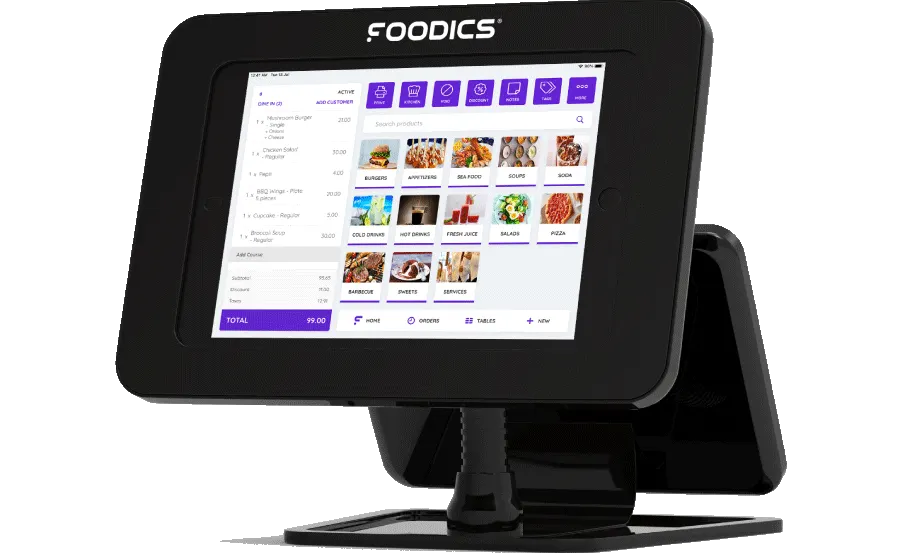
Features:
- Comprehensive restaurant management: From orders to inventory, it covers table control, direct orders, and real-time menu updates.
- Analytical reports: It provides detailed reports that support informed decisions, covering daily performance, table turnover rate, and sales analysis by time or item.
- Integration with external apps: Such as accounting software, delivery solutions, and digital loyalty systems.
- Multi-language and multi-currency support: Which makes it suitable for international operating environments or teams with a diverse workforce.
Drawbacks:
- It is not free, and its cost is relatively high for small businesses.
- It targets the restaurant sector only, and may not suit other businesses that need a flexible, multi-purpose system.
6. Kashier: An integrated payment management platform
Kashier is a modern digital payment system aimed at businesses that focus on managing electronic payments accurately and effectively. The platform is designed to be flexible and easy to integrate with online stores and accounting systems, which makes it suitable for businesses that rely mainly on digital payments. The system stands out for supporting a variety of payment methods and providing a central dashboard for managing invoices and tracking financial transactions in real time.
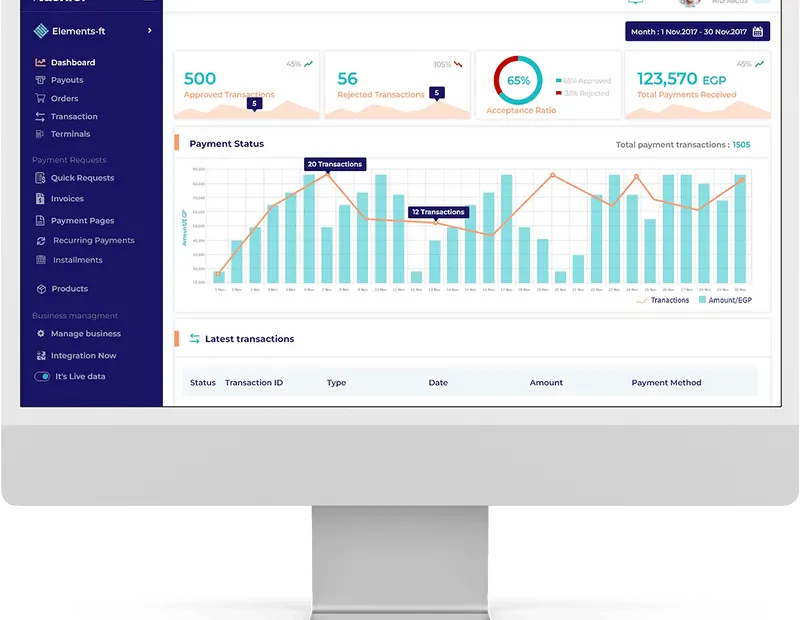
Features:
- Support for multiple payment methods: Credit cards, Apple Pay, and more, making it easy for customers to pay the way they prefer.
- Invoice management: Issue and send invoices easily, with the ability to track overdue payments and automatic reminders.
- Financial dashboard: Follow payments and collections in real time, with charts and detailed reports on revenue performance.
Recurring payments and subscriptions: Kashier lets you set up recurring payments for customers, making it ideal for services that rely on monthly or annual subscriptions.
Drawbacks:
- It lacks full inventory and sales management, which makes it unsuitable for businesses that need detailed tracking of products and sales.
- It does not support multiple branches effectively, which can be a challenge for businesses seeking geographic expansion or operating from more than one location.
How do you choose the right cashier software?
Before making a decision, consider the following questions:
- Does the software support e-invoicing according to local standards?
- Do you need a built-in online store?
- Do you want detailed financial and analytical reports?
- Do you operate multiple branches or a single location?
- What type of business do you run? (restaurant, retail store, services…)
Why compatibility with tax systems matters
With the continuous expansion of digital invoicing in many countries, compliance with official requirements can no longer be ignored. It is not only about legal obligation, but also about improving operational efficiency and reducing human error when issuing invoices. Software that does not offer this compliance may expose your business to penalties or legal problems, and cost you customers' trust because of a lack of transparency or accuracy in operations.
Frequently asked questions (FAQ)
1. What is cashier software?
Cashier software is an electronic point-of-sale system that helps store and restaurant owners manage sales, track inventory, issue invoices, and analyze financial and operational performance.
2. Is there completely free cashier software?
Yes, Alcashier is one of the completely free programs that support e-invoicing, provide an online store, and offer multi-branch support and full inventory management.
3. What are the most important features cashier software should have?
- E-invoice support
- Inventory and sales management
- Detailed analytical reports
- An easy-to-use interface
- Online store integration
- Technical support in your language
- Scalability for multiple branches
4. How do I choose the right cashier software for my business?
Start by defining the nature of your business (restaurant, store, services), then set your priorities (e-invoicing, online store, multi-branch support). Compare programs on cost, ease of use, and technical support, and try the free versions available before you buy.
5. Is it necessary for the software to support e-invoicing?
Yes, in many countries e-invoicing support has become mandatory for tax compliance, avoiding fines, and improving transparency with customers and official authorities.
Start with Alcashier today and improve your sales management for free
Conclusion
When choosing the right cashier software for your business, it is important to consider a set of factors that directly affect operating efficiency and ease of management. These include e-invoicing support, which is essential for tax compliance, tools for managing inventory and monitoring product movement, an integrated online store to expand your sales online, and support for working across multiple branches.
- If you are looking for completely free, integrated software that supports e-invoicing and offers an online store: Alcashier is the ideal choice.
- If your business is a restaurant and you need an advanced system: Foodics, keeping its cost in mind.
- If you only focus on payment processing: Kashier is a good fit.
- For small and medium businesses that do not need much complexity: Loyverse or Al Badr POS are good options.
The ideal software does not depend only on the number of features, but on how well it fits the size and nature of your business, how easily your team can be trained on it, and its long-term operating cost. That is why we always recommend trying the free versions available to assess their suitability before making the final decision.
The key features to look for in a cashier system
As the pace of digital transformation accelerates across the Kingdom, using a smart cashier system has become essential for any store or…
How does restaurant management software ease the pressure of daily orders?
In the world of retail, restaurants, and small shops, daily order chaos is one of the biggest challenges facing business owners. Especially with the increase…

How do you ensure data security in a cloud cashier system?
With the acceleration of digital transformation and the growing reliance on advanced technology solutions and cloud systems across business sectors, the question of security has become…
The post Best free cashier software appeared first on Alcashier software.