If you run a store, restaurant, café or salon, the story usually starts at the cashier: a queue moving forward, a staff member looking for an item, a customer asking about an offer, and a receipt printer that never stops. At exactly this point the difference becomes clear between a system that merely collects payment and a smart cashier system that makes a difference to service speed, inventory accuracy and the profitability of the whole business. This guide takes you on a calm journey from definition to selection, with real-world examples and a practical look at Alcashier, built for the Saudi market.
What is a cashier system?
A cashier system (Point of Sale System) is not just a screen where you enter prices and print a receipt; it is a software and hardware system working in harmony to record sales instantly, update inventory automatically, and link each transaction to a set of reports that help you make decisions. When a sale is recorded, it isn't only the number on the receipt that changes: the quantity is deducted from inventory, tax is calculated, the receipt is added to the audit log, and the transaction appears immediately in the management dashboard. From here the cashier becomes a complete operating interface that extends to purchases, vendors, expenses, staff permissions and seasonal promotions.
The regulatory framework in the Kingdom: what must you comply with?
So that you are not surprised later by fines or operational stoppages, make the system's compliance with regulatory requirements a foundational step. Below is an expanded, practical explanation of each item, with examples, tips and common mistakes to avoid.
E-invoicing and document issuance
Issuing invoices and debit/credit notes electronically according to the specifications approved by the regulator, with all mandatory fields complete.
An invoice should include at least:
Seller details: legal name, address, tax number/ID.
Buyer details (where required): name, address, tax ID (for business invoices).
A unique invoice identifier that cannot be repeated, with a controlled numbering sequence.
Issue date and time in the correct time zone.
Description of goods/services, quantities, prices, discounts (if any).
Tax rates and amounts for each item, and totals before/after tax.
Invoice currency and exchange rate where applicable.
For simplified invoices (consumer-facing):
Display a QR code containing the elements required by the regulator's specification (such as seller name, tax number, issue time, total tax…).
Make sure it is scannable on different POS printers and has good contrast.
Technical best practices:
Structural validation (Schema Validation) before issuing to prevent missing fields.
Business rules such as: not allowing a tax rate that is incompatible with the type of goods.
Support for invoice attachments (contracts/purchase orders) and link them to the unique identifier.
Common mistakes: duplicate invoice numbers, a wrongly configured server time, or a QR code that doesn't match the specification.
Language and display
Requirement: The invoice is issued primarily in Arabic, and a second language may be added.
How to implement this well?
Make Arabic the source of truth in the invoice structure and templates.
Provide bilingual templates (Arabic + EN) without altering the tax terminology.
Separate the invoice data (machine-readable) from the display template (PDF/HTML) to make translation easier and keep terminology consistent.
Common mistakes: machine translation of tax terms, or leaving Arabic fields empty when printing.
Cryptographic stamp/signature and approval (B2B)
What it means: For invoices between businesses, a cryptographic stamp/signature and automated integration with the relevant platform may be required.
Practical requirements:
Secure cryptographic key management (generation, rotation, revocation), stored in an HSM or secret vaults.
Stamping/signing the invoice and attaching the fingerprint/cryptographic value within the structured file.
A documented API integration with the platform (strong authentication, rate limits, tracing logs).
Time synchronization (NTP) to prevent invoices being rejected because of clock drift.
Keeping a complete audit trail (Request/Response) for every communication.
Common mistakes: losing signing keys, or failing to handle changes to the authority's/platform's certificates.
Reporting within the specified time (especially consumer invoices)
Requirement: Send the invoice to the platform within a time window set by the authority. This must work reliably even with multiple branches and poor connectivity.
Recommended design:
A message queue (Queue) with retries using a graduated strategy (Exponential Backoff).
Idempotency Keys to avoid duplicate reporting.
Offline Mode with secure temporary storage when the network is down.
Monitoring and alerts for failures, and real-time tracking dashboards.
Support for multiple branches through local forwarding agents/gateways that sync with a main hub.
Common mistakes: relying on instant sending with no queue, or not handling timeout/rejection cases.
Record keeping and archiving
Requirement: Store invoices and their structured files in a machine-readable format and archive them for no less than the statutory period.
How to organize this:
Store a structured copy (such as XML/JSON per the specification) + a display copy (PDF/HTML).
Use encrypted storage with fine-grained permissions and an access log.
An archive hierarchy with search indexes (by tax number, date, amount, customer…).
WORM/tamper-proofing or hash chains to prove the integrity of records.
Fast retrieval when a regulator or internal audit requests it.
Backups and geographic redundancy and disaster recovery plans (with clear RTO/RPO).
Common mistakes: keeping only the PDF without the structured file, or storing data unencrypted.
Keeping up with updates and changing schedules
What it means: Regulations and specifications may change; choose a system that follows updates automatically and issues explanatory bulletins.
A mature change-management process:
An official news channel inside the system (notification panel + emails).
Regular release updates with understandable change notes.
A test/sandbox environment to try new requirements before enabling them.
Backward compatibility and migration plans for data and templates.
Automated acceptance tests covering edge cases (QR, signature, sending…).
A service level agreement (SLA) for how quickly new requirements are adopted.
Types of point-of-sale (POS) systems: which one really suits you?
Cloud POS system
A cloud system suits you when you deal with more than one branch and need real-time reports from anywhere, or when you want to get rid of the burden of in-house servers and their maintenance costs. Think of it as a platform that updates itself and integrates easily with payment gateways, your online store and accounting systems, and gives you regular backups and high availability without you getting involved in the technical details. The golden condition here is a good internet connection; even so, a cloud system can keep working during an outage if it offers a true “offline mode”: it issues invoices locally, prints the QR code according to the specification, and saves transactions temporarily and then syncs them later without duplication. If you expect frequent regulatory changes or rapid branch expansion, the cloud usually delivers this with the least friction.
On-premises system inside the store
This option shines when internet quality is poor or you want your data to stay entirely on your premises with precise control over the infrastructure. Performance is steady even at peak times, and response from peripheral devices is very fast. But it comes with clear responsibilities: security updates are on you, backups must be regular and tested, and an off-site copy is advisable in case of emergencies. If you are committed to e-invoicing or integration with external platforms, you will need a reliable connector that sends data on time and handles rejections. The upfront hardware cost is usually higher, but it gives you complete control if you have a technical team able to manage and maintain it.
The hybrid model
The hybrid combines the strengths of both options: points of sale run locally with speed and stability even if the network drops, while important data goes to a central cloud that gives management a unified view of sales, inventory and prices across branches. The success of this model depends on mature synchronization that handles edit conflicts and knows what is saved locally and what goes up to the center, without weighing down daily workflow. For chains that want fast operation inside each store with real-time central reporting, the hybrid is often the balanced solution.
Essential software features
Tax compliance and e-invoices
Any serious system starts with compliance: creating tax and simplified invoices and debit and credit notes according to the specifications, with a strict numbering sequence that never repeats, even across multiple branches. Make sure each invoice produces a structured file (XML/JSON) containing the mandatory fields and the QR where required, with automatic validation before issuing so that simple errors such as an incorrect server time or a mismatched tax rate don't slip through. An audit log showing who created, edited and sent each invoice will protect you during reviews and shorten your response time to regulators.
Item and inventory management
A strong program deals with real-world complexity: multiple units of measure, varied barcodes, clear images, and a reorder level for each item and branch. We need smart low-stock alerts and pricing policies that adapt to different channels (store, app, wholesale). When inventory movement is linked to invoices, returns and transfer orders between warehouses, manual discrepancies drop and stocktake accuracy rises.
Pricing and promotions
Strong promotions are managed by rules, not by mood: line-level and invoice-level discounts, trackable vouchers, and timed offers that switch on and off automatically. Most important is preventing disallowed combinations; the system must understand order and priority and show the reason when it rejects something. This way you protect your profit margin and close loopholes without disrupting the smoothness of selling.
Managing users and permissions
Clear roles reduce mistakes and limit manipulation: cashier, supervisor, branch manager… each role with precisely defined permissions. Strong passwords and two-factor sign-in when needed, with tracking of every sensitive event such as a manual price change or deleting an item before closing. When you know “who did what and when”, training becomes easier and investigations faster.
Multiple payments
Reality is varied: cash, local network cards, wallets via smartphones, transfers, vouchers. The system should support splitting payment across more than one method in a single transaction, and reconcile receipts against bank deposits at the press of a button. Seeing the differences immediately cuts end-of-shift time and tightens financial control.
Returns and refunds
Every return should be linked to its original invoice so that tax and inventory are calculated accurately. You may choose to refund in cash, as wallet credit, or to the original payment method; what matters is that the reasons for returns are recorded and appear in reports. With this transparency you discover the frequently returned items and the policies that need adjusting.
Customer and loyalty management
Identifying customers opens the door to loyalty: reward points, balances, personalized offers based on purchase behavior. When you see smart lists of the most frequent or most valuable customers, it becomes easy to design targeted campaigns and assess their impact in the short and long term. Privacy is essential here: we record only what we need and store it securely.
Support for multiple branches and warehouses
Chains need eyes everywhere and one central brain: inter-branch transfers with clear documents, local pricing for branches where necessary, and a real-time central view of inventory. When items are unified and price lists are managed from the center with flexibility for the branch, chaos drops and response to market conditions speeds up.
Offline mode
Selling doesn't stop because the network is down. The ideal mode issues and prints the invoice and records inventory locally with logical safeguards against manipulation, then syncs safely when the connection returns, without duplication. Showing sync status to users and having a clear log of failed and successful attempts reassure your team during peak hours.
Reports and analytics
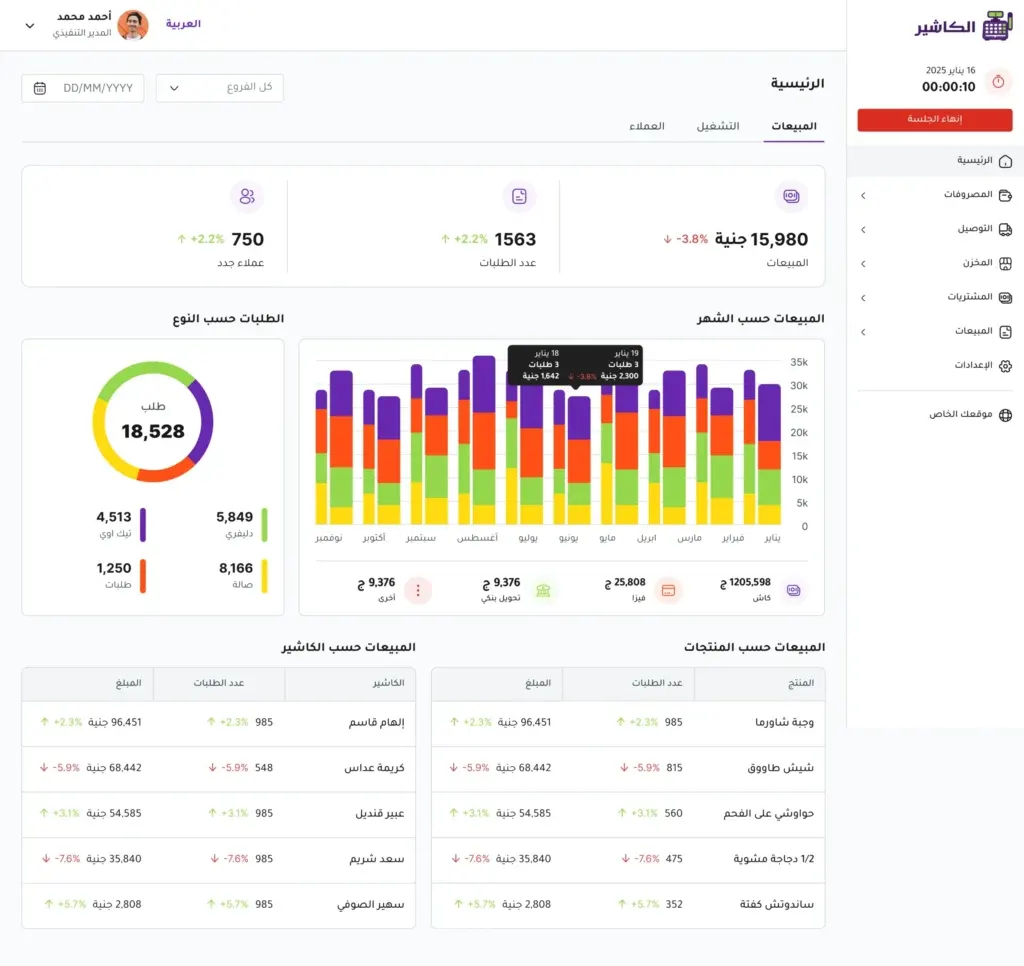
You don't want just numbers, but understandable stories: sales by item, hour, seller and branch, profit margins, movement of fast and slow goods, and tax reports ready to file. When these insights connect to inventory, pricing and loyalty, you can make today's decision based on yesterday's data, not just your gut feeling.
Integrations
The system lives within a larger ecosystem: online store, delivery services, general accounting, ERP. Integration channels must be reliable and documented, with secure keys, reasonable rate limits and audit logs. Every successful integration cuts out manual entry, reduces errors and brings you closer to a single “source of truth”.
Ease of use and support
A clear Arabic interface that respects industry terminology, and built-in guidance that answers first-day questions. When you get stuck, you should find fast support through multiple channels, with a knowledge base that is continuously updated. A good experience cuts training time and increases staff adherence to procedures instead of inventing their own methods.
Business gains from using the Alcashier cashier program
The first benefit a business owner notices is a quick start without complications. The app is cloud-based with a simple Arabic interface, so you start selling and following inventory and sales “moment by moment” from day one, without heavy setup or exhausting training. This reduces setup time and cuts the initial cost for your business.
Second, selling doesn't stop when the internet drops. The app keeps working in offline mode: sales are recorded locally and uploaded automatically when the network returns. The result: your line keeps moving even at peak, with no lost invoices and no confusion at the till.
Third, better inventory control. Every sale updates quantities immediately with low-stock alerts, so you miss fewer sales and have fewer empty shelves, and stocktake accuracy and order sizes improve. This feeds directly into cash flow and profit margins.
Fourth, a flexible selling experience for your customers. You record orders quickly, print invoices instantly, and support multiple payment methods (cash, cards, wallets). Most importantly, the invoice is “VAT-compliant”, so the transaction is closed correctly, both for accounting and regulation, the first time.
Fifth, managing your team by numbers, not by feel. You follow shifts and session closing easily, and know staff performance, hours and activity within the system. Closing time gets shorter, oversight easier, and errors fewer.
Sixth, reports that lead to clearer decisions. Dashboards and analytics show the fastest-moving products, sales sources and branch revenues, so you set pricing, promotions and reordering with confidence instead of guessing. This raises the quality of purchasing and marketing decisions day by day.
Seventh, it suits more than one type of business and more than one branch. Whether a restaurant, a store or a salon, the system is customizable and accommodates multi-branch expansion from one center when needed, so it grows with you instead of holding you back.
And finally, a low barrier to entry. There is a free plan to get started and a free one-month trial, while the advanced plan (coming soon) adds unlimited branch and staff management, more precise reports and dedicated support, letting you upgrade as you grow instead of paying a large cost from day one.
FAQ
Do I need special devices, or is what I have enough?
Usually a tablet/iPad or an Android device with a thermal printer that supports ESC/POS and a USB/Bluetooth barcode scanner is enough. What matters is real compatibility: ask for a list of certified hardware, and test printing and scanning on your device before buying any additional equipment, and make sure local maintenance alternatives are available.
Where is my data stored, and can I take a full copy whenever I want?
Ask about the hosting location (and where the data is geographically located), the encryption method in transit and at rest, backup schedules and the RTO/RPO targets. Ask for the right to export all your data in standard formats (CSV/JSON) along with structured invoices and PDF display copies.
How does offline mode work in detail?
It should issue the invoice locally with secure numbering and a valid QR, record inventory immediately, then sync automatically when the network returns without duplication thanks to idempotency keys. A sync status screen and a log of successful/failed attempts make it easy to follow during peak time.
Is there a training environment or demo mode?
Look for a Sandbox to try the system and train staff without affecting your real accounts, with the ability to copy lists and settings to/from the production environment.
What about integration with the online store and delivery platforms?
Understand the integration method: ready-made connectors or a public API. What matters is unifying item and price mappings, syncing order and shipping status, and avoiding duplicate orders or inventory conflicts.
Are there limits on promotions and discounts?
Ask about the stacking logic and priority (which discount is applied first), the ability to exclude categories/items, setting caps on discounts and vouchers and scheduling them over time, with reports that measure the actual impact of campaigns.
I deal with weights/serial numbers/expiry. Does the system support them?
It should support connected scales or pre-packed weights, device serial numbers, and batch management (Batches) with expiry dates and alerts when stock is nearly out or expired.
What are the requirements specific to restaurants, cafés and salons?
For restaurants, look for recipe management, ingredient costing, a Kitchen Display, bill splitting and kitchen printing. For cafés: sizes, add-ons and customer names on cups. For salons: appointments and resources (chairs/staff) and linking them to payments.
Does it support multiple languages and currencies?
Arabic should be the foundation, with the option to add a second language on the invoice. Multiple currencies require fixing the exchange rate at the time the invoice is issued and showing it clearly in reports.
How are tips and service charges handled?
Make sure Tips/Service Charge are supported with configurable policies, and that they are correctly reflected for tax, accounting and reporting per employee or shift.
What about security and compliance?
Look for fine-grained permissions, comprehensive audit logs, and multi-factor authentication when needed. For card payments, PCI DSS compliance and tokenization (Tokenization) are required instead of storing card data.
How do I migrate from my old system without chaos?
A sound migration plan includes cleaning up items, barcodes, taxes, customers and balances, freezing list changes during the transfer, a restore test when needed, and a clear rollback plan in case surprises appear.
What does real support look like after subscribing?
Ask about support channels (phone/chat/email), response time, escalation levels, and the availability of an up-to-date Arabic knowledge base, and ask for examples of real cases that were resolved and how long they took.
Can the receipt and interface be customized?
Usually you can add your logo, promotional messages, loyalty links and extra fields, and set the language, receipt length and paper sizes of 80/58 mm. Test printing on your actual printer before rolling out.
What about returns without a receipt?
Ask for flexible policies with search by name/phone/barcode, time limits and management approvals, and accurately linking the refund to inventory and tax.
How do I calculate the true cost of ownership?
Add up the monthly subscription, the cost of devices, paper, maintenance and backup internet, payment fees and paid integrations, and the cost of training and seasonal price increases, then compare it with the expected return from reducing waste and speeding up service.
Conclusion
By choosing a cashier system that complies with e-invoicing requirements in the Kingdom and is designed to manage inventory, payments and reports smoothly, your point of sale turns from a mere receipt printer into an integrated platform that drives growth, reduces waste and raises business profitability. The essence of success is matching a cashier system to your actual needs: peak speeds, the nature of your items, the number of branches, and your team's level of experience. Plan a gradual rollout, hands-on training for sellers, and clear mechanisms for backup and recovery from failures. Track performance indicators monthly, refine rules and promotions based on reliable data, and make security and permissions fixed priorities. With this approach, a cashier system becomes a daily decision-making tool, giving you a real-time view that helps you adjust prices, inventory and customer service with confidence and sustainability.
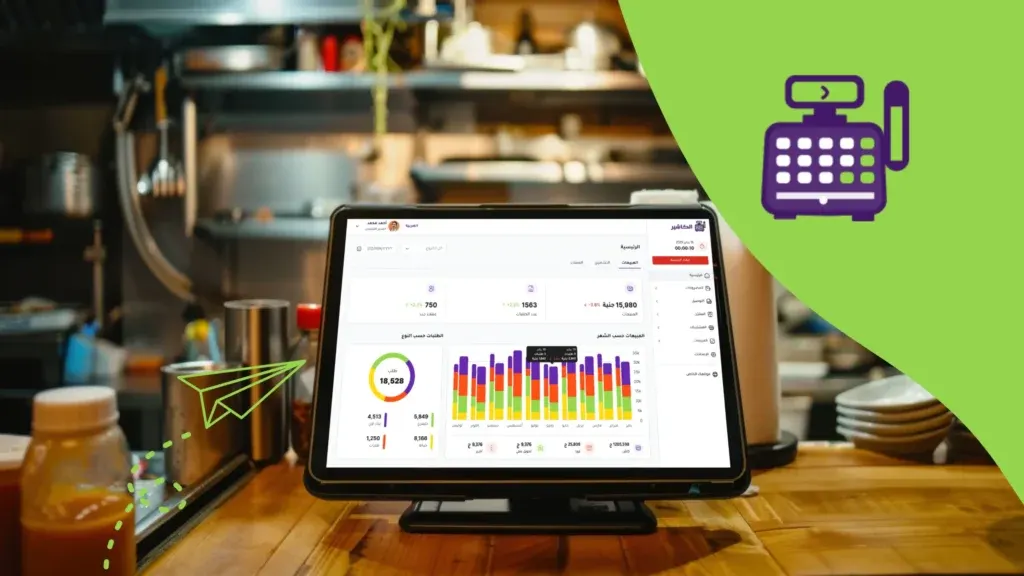
POS as the hidden manager of your business: how to drive your success from behind the scenes
In the modern business world, data and sales management has become the cornerstone of success and continuity, as it is no longer possible to rely only…
The next generation of POS in Saudi Arabia: trends for the next five years
The Saudi market is going through a rapid, comprehensive digital shift across economic and commercial sectors, driven by the Kingdom's Vision 2030, which places digital transformation…

The future of restaurants without cashiers: will POS replace staff?
The restaurant sector worldwide is undergoing a radical transformation driven by fast-moving technology, as the changes are no longer limited to cooking methods or design…
The post Cashier system: choosing and running a POS program in Saudi Arabia appeared first on Alcashier Software.