The retail and restaurant sector in Saudi Arabia is developing rapidly thanks to digital transformation, which makes free cashier software for PC essential for owners of small and medium stores and businesses. Relying on traditional ways of managing sales and inventory is no longer effective, especially with growing competition and rising customer expectations. That is why having a point of sale system that helps organize daily operations, improve invoice management, track inventory, and manage staff has become a decisive factor for success.
Although many free cashier programs are widely available, choosing the right system can be a challenge: some offer limited features, while others offer good capabilities that cannot scale. This is where advanced solutions like Alcashier come in, combining ease of use and reliability with the ability to work online and offline, along with full Arabic support and the needs of the Saudi market.
What is free cashier software for PC?
Free cashier software is a point of sale system used to manage sales operations in stores and restaurants, and it usually runs on computers with operating systems such as Windows or Mac. Free versions provide basic tools such as issuing invoices, managing products, tracking sales, and connecting to a printer. Although they offer suitable solutions to get started, they may lack professional features such as advanced reports, branch support, integration with online stores, or working without internet.
The value of these programs lies in being the ideal starting point for small businesses that need simple, effective tools to run their operations without high costs.
Why do store owners look for free cashier software?
There are several reasons why owners of startups and small stores look for free cashier software for PC, including:
- Cutting operating costs: especially in the early stages of the business.
- Testing the system before investing: free versions give you a chance to try the system before moving to paid versions.
- Ease of use: free software is often simple and straightforward.
- Providing basic functions: such as invoicing, sales, and product management.
According to a 2024 Statista report, 62% of small businesses worldwide rely on free or low-cost software when they first start out, before moving to paid systems that support expansion. (Source: https://www.statista.com)
Advantages of free cashier software for PC
Free software offers a range of advantages that make it an attractive option for owners of small businesses:
1. Easy to install and run
These programs often work right away with no complicated technical requirements, and they are light on the system and need no prior configuration. Users can also install them on almost any computer without extra equipment, which makes them a good fit for small or temporary businesses.
2. Fast, organized invoicing
They can easily print paper or digital invoices, with the option to customize the invoice and add your logo and business details. This helps improve how the invoice looks to customers and strengthens the store's identity.
3. Simple inventory management
They let you add products, set prices, and track quantities in a simplified way, preventing stockouts or overstocking. Some programs provide alerts when the quantity of a particular product runs low, which helps you reorder at the right time.
4. Basic reporting
Such as the daily sales report or best-selling products. These reports matter because they help the business owner make initial decisions based on clear data, even if it is limited.
5. No constant internet connection required
They run on the computer in offline mode and keep data on the device, which allows work to continue in stores with weak connectivity or in areas with frequent internet outages. It also means sales do not stop during peak hours.
Disadvantages of free cashier software for PC
Despite the advantages, there are limitations to take into account:
1. No advanced security
Most free software does not provide automatic backups or cloud protection, which puts sales and inventory data at risk of loss in the event of technical failures or unexpected security incidents. The absence of modern encryption protocols also leaves information exposed to breaches or tampering, which is extremely risky for any business that wants to protect its sensitive data.
2. No support for multiple branches or devices
It is often suitable only for one device and one store, which makes it unable to scale when you open a new branch or add another point of sale. This problem limits business owners' ability to expand and forces them to look for more professional alternatives as their business grows.
3. Limited reports
It does not provide deep analytics or business intelligence you can rely on for strategic decisions. Without detailed reports on product performance, peak hours, and customer behavior, companies find themselves operating in a traditional way that lacks clear visibility.
4. No professional technical support
A large share of free software relies on user communities, which means you may run into failures or problems with no dedicated team to help you solve them. This directly affects business continuity, especially during peak times.
5. No continuous updates
Some programs may become incompatible with modern systems or new security updates, which makes using them technically risky. It also leads to weaker performance and sudden errors that affect sales operations.
This is why many business owners turn to more advanced solutions like Alcashier, which offers a mix of fair pricing, continuous updates, and cloud operation, along with strong security layers and automatic backups to protect data and keep the business running.
The difference between free and paid cashier software
It is important to know the difference between the two versions to make the right decision:
| Item | Free version | Paid version |
|---|---|---|
| Updates | Limited | Continuous and guaranteed |
| Technical support | Often unavailable | Fast, dedicated technical support |
| Features | Basic | Advanced + analytics + branch management |
| Security | Limited | Encryption and cloud backup |
| Room to grow | Does not support expansion | Scales with the business |
This is why many business owners start with free software and later move to a professional solution like Alcashier.
When should you move from the free version to the paid one?
Upgrading is recommended when you face the following situations:
- A growing number of customers and rising sales volume.
- The need to connect the system to an online store or a delivery platform.
- The need to manage multiple branches.
- The need for detailed reports that help make accurate decisions.
- The wish to work from anywhere through the cloud.
McKinsey data from 2023 shows that businesses that rely on advanced analytics systems see profits rise by 18% compared with businesses that operate without accurate data. (Source: https://www.mckinsey.com)
Is free software suitable for the Saudi market?
Not every free program is suitable for Saudi Arabia, since some systems do not support many of the basic requirements imposed by local regulations or needed by business owners to operate properly. The most important of these are:
- Full Arabic language support, whether in the interface, invoices, or reports.
- E-invoicing (Fatoora) in line with the requirements of the Zakat, Tax and Customs Authority (ZATCA).
- 15% VAT and the ability to calculate it automatically inside the system.
- Integration with delivery platforms and local payments such as STC Pay, Mada, and HungerStation.
- Compliance with cybersecurity standards applied inside the Kingdom.
- Operating under ZATCA regulations with regular updates that keep up with changing laws.
The Saudi market is also marked by an advanced competitive environment that requires systems able to handle growth, analyze data, and link operations across different branches. This is where compliant local systems like Alcashier stand out, offering integrated support that fits the requirements of the Saudi market and adding modern tools such as smart reports, cloud integration, and online and offline operation, giving store owners greater flexibility and stable performance.
Why is Alcashier the better choice over free software?
Alcashier offers a combination of power and flexibility that makes it an ideal alternative to free software, supporting a wide range of professional tools designed specifically to meet the needs of stores and restaurants in the Saudi market. The system is not limited to basic functions; it offers a complete suite that helps business owners raise operating efficiency, reduce mistakes, and improve the customer experience.
- Online and offline operation to keep running even when the internet is down, with data synced automatically when the connection returns.
- Arabic and English for easy training and team use without the need for technical expertise.
- Smart reports and performance analytics that give detailed visibility into sales, products, staff, and peak hours, helping you make decisions based on accurate data.
- Multi-branch management from a single dashboard, with the ability to track sales and inventory for each branch separately or combined.
- E-invoicing (Fatoora) support fully compliant with the requirements of the Zakat, Tax and Customs Authority.
- Integration with online stores to unify inventory and orders, whether through custom platforms or ready-made platforms such as Salla and Zid.
- Continuous technical support around the clock to solve any problem quickly and reduce downtime.
- Accounting and resource system integrations, which make the system suitable for small, medium, and large stores.
Thousands of stores and restaurants in Saudi Arabia benefit from the system thanks to its ease of use, speed, and reliability, as well as being designed specifically to fit the local business environment and its changing requirements.
How to choose suitable free cashier software
When choosing your free software, make sure of the following points, because they form the basis on which the system's efficiency and its ability to meet your business's needs depend, both now and as your business expands in the future:
1. Compatibility with your operating system
Does it run on Windows? Mac? Does it work with both older and newer versions? Some stores use older devices, which makes compatibility essential to ensure the system runs without technical problems or slow performance.
2. Ease of use
A simple interface that is easy to train on, with a clear user guide. It is important that new staff can learn quickly without intensive training, because that saves time and reduces daily mistakes, especially under pressure.
3. Arabic support
Especially if your team works in Arabic. The software must fully support Arabic, including text direction, invoice setup, product names, and reports, because the absence of this can confuse staff and delay operations.
4. Upgradability
Can you move to a paid plan when needed? Does the advanced plan allow features such as branch management or connecting to online stores? Upgradability is essential to keep the system suitable as your business grows.
5. Security updates
Is the software updated regularly? Regular updates show that the developer cares about security and continuous improvement. Software that is not updated exposes you to the risk of breaches and weaker performance.
6. Integrations
Compatibility with printers, cash drawers, and more, plus barcode devices, accounting platforms, and delivery systems. The better the system can integrate with your working environment, the faster and smoother operations will be.
It is also preferable to choose software that offers a stable user experience with backup capability, because this ensures your data is protected in case of sudden failures.
Extra features store owners are looking for in 2026
Forecasts point to rising demand for new features such as:
- Smart inventory management.
- Predictive reports powered by artificial intelligence.
- Integration with e-commerce platforms.
- Contactless payment via QR.
- Staff features and analytics system.
According to Forbes, the use of smart reports in POS systems rose by 40% during 2024. (Source: https://www.forbes.com)
Can you rely on free cashier software in the long term?
Free software is good as a starting point, but it is not suitable for businesses that aim to grow, especially as daily operations increase, inventory management becomes more complex, and the customer base expands. As the business grows and sales volume rises, the need for a professional system becomes more urgent, since advanced systems offer greater capabilities for managing data, analyzing performance, and distributing permissions within the team. When requirements increase, it becomes necessary to use a professional system like Alcashier, which offers flexibility, support, and long-term stability, along with broader capabilities such as smart reports, branch management, and full integration with accounting systems and different sales platforms.
The best alternative to free software
Even if you start with free software, it is important to plan for the future, because growing businesses need a system that can adapt to their expansion and rising operation volume. This is where Alcashier comes in as the best paid alternative at a fair cost: it does not just offer basic functions but a comprehensive suite that helps business owners build a strong and stable operating foundation, with the ability to scale without having to change systems later.
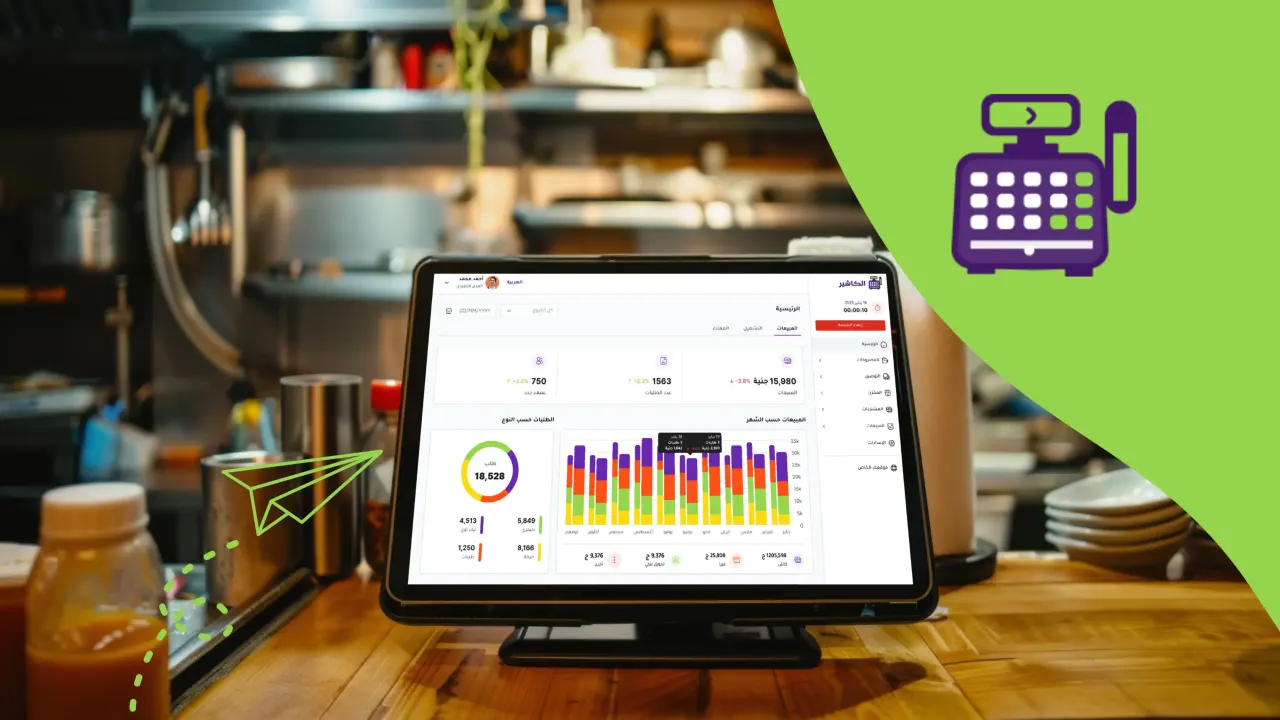
- A professional dashboard with an easy-to-use interface that lets you follow sales, inventory, and daily performance in real time.
- The ability to add unlimited users, with permissions customized for each employee for better team management.
- 24/7 technical support that ensures problems are solved quickly and downtime is reduced, keeping your business running.
- Integrations with accounting systems, delivery systems, and online stores, making the system a central part of your workflow.
- High security and automatic backups to protect data from loss and provide quick recovery when needed.
- Continuous updates that add new features and regular improvements in line with Saudi market requirements and technical developments.
- A flexible cloud architecture that lets you follow your business from anywhere on mobile or computer without restrictions.
Summary
Free cashier software for PC is an excellent option for getting your business started without extra costs, but it is not suited to expansion or to managing operations at high efficiency in the long term. If you are looking for a professional system that supports the Saudi market and combines flexibility with advanced features, Alcashier is the ideal solution.
The system helps you manage sales, inventory, analytics, and e-invoicing, and also lets you work online and offline with fully integrated capabilities.
Making the right system choice at the start of your business will directly affect your success and growth.
Frequently asked questions (FAQ)
1. Is there free cashier software that supports Arabic?
Yes, several free programs are available, but they are often limited in capabilities and scalability, while Alcashier offers full Arabic support with professional features including a smooth interface, continuous technical support, and advanced capabilities for managing sales and inventory more accurately.
2. Is free software suitable for restaurants?
Only for getting started, but it lacks advanced features such as table and kitchen management, kitchen order tracking (KDS), organizing dine-in and outside orders, and managing seating areas, which are essential for restaurants that want to offer a more professional service and improve the customer experience overall.
3. Can the software be used without internet?
Most free software works without internet, but systems like Alcashier provide cloud syncing when connected, which ensures data is transferred instantly between the device and the cloud and kept up to date across all branches and devices with no manual intervention. This feature ensures that operations carried out during an internet outage are saved and provides a unified work screen for all staff, which greatly improves performance efficiency and reduces human error.
4. Can you upgrade from the free version to the professional one?
Yes, and this is what many store owners do as their business expands, turning to more professional systems that offer broader capabilities and advanced analytical tools that support their operational decisions and help them manage growth in a smooth and stable way.
Download complete supermarket software for free: your guide to choosing the right system
Supermarket management software has become a basic necessity for any store that wants to achieve high operating efficiency and keep close track of inventory and sales…
Cashier salary in Saudi Arabia: a complete guide to pay and career paths
Cashier salary in Saudi Arabia is one of the topics most searched by job seekers in retail, restaurants, cafés, and markets…
Free restaurant management software: your guide to choosing the best system to support your restaurant's growth
The restaurant industry is evolving rapidly and relying more and more on digital tools that help business owners improve operational efficiency and reduce errors…
The post Free cashier software for PC: your complete guide to choosing the best sales management system appeared first on Alcashier.